

When most people hear the name Templately, they think of one thing: templates. A massive library of pre-designed pages and blocks for Elementor and Gutenberg. That reputation is fair, but it is also incomplete. Templately has grown into an AI-powered templates cloud with cloud storage, team collaboration, AI-powered content, full site import, and global style control, all built into the same plugin.
If you are evaluating Templately for an agency, a freelance build, or your own brand site, understanding these features matters as much as browsing the template catalog. This guide walks through every major Templately features beyond the template library itself, explains how each one fits into a modern website workflow and shows you where it actually saves time. The goal is simple: help you understand what Templately can do for your WordPress workflow before you commit a single click to a design.
TL;DR: Templately Features at a Glance
Let us have a quick glimpse at the features of Templately that make web building in WordPress a breeze.
| Feature | What It Does | Best For |
| My Cloud Storage | Saves your custom designs online, accessible from any device or site | Designers who reuse layouts across projects |
| Workspace | Allows teams to collaborate on templates in shared folders | Agencies and remote teams |
| Full Site Import (FSI) | Imports an entire website pack in one click, not page by page | Fast launches and client demos |
| Global Styles | Updates brand colors and typography across the whole site at once | Maintaining brand consistency |
| AI Builder and Content Generator | Generates layout suggestions and on-brand copy from a short prompt | Beginners and content-heavy projects |
| Elementor and Gutenberg Support | Works natively inside both major WordPress builders | Teams using mixed builder environments |
| Template Sharing | Lets you export and share saved designs with clients or teammates | Agencies handing off projects |
| Multi-Site Access | Use saved templates and brand kits across unlimited sites | Agencies managing several client sites |
Before diving into individual features, it helps to reframe what Templately actually is. It is not just a plugin that drops templates. Templately is more than just a WordPress plugin. Because the storage and collaboration layers live in the cloud rather than just on a single WordPress installation. For someone building one site a year, that distinction may not matter much. For an agency or a content team producing pages weekly, it changes the entire workflow.
Let’s dive deeper into Templately, which offers powerful features beyond just templates, to make web-building in WordPress faster than ever.
My Cloud: Centralized Storage for Every Design You Build
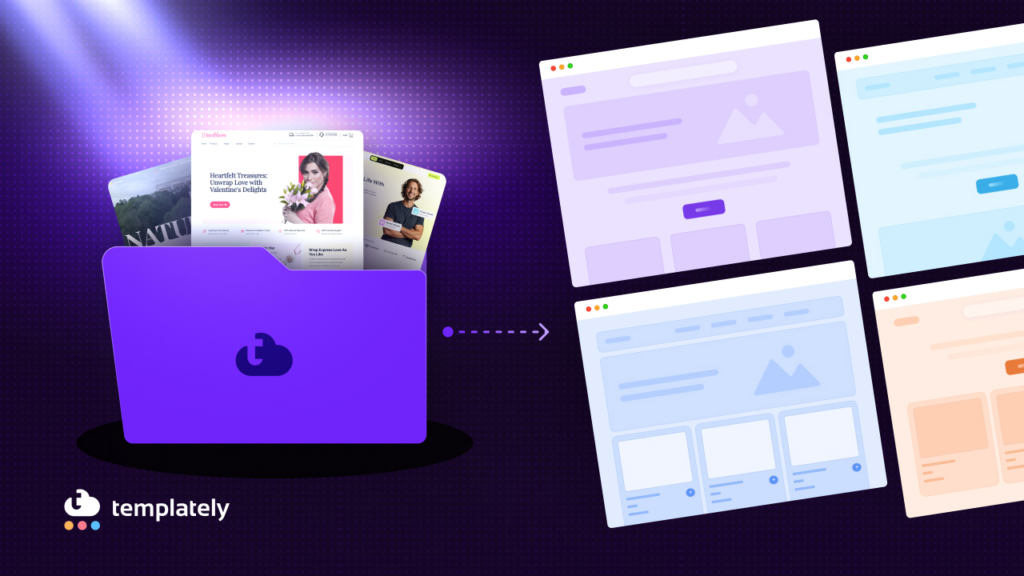
The first feature worth understanding beyond the template gallery is My Cloud. This is Templately’s personal storage system, and it solves a problem most WordPress builders have faced at some point: losing a perfectly built section because it only existed on one site.
‘My Cloud‘ lets you save any page, section, or block you create directly in your Templately account. Once saved, that design becomes available on any other site where you are logged into Templately, on any device. If you build a strong call-to-action section for one client, you do not need to rebuild it from scratch for the next.
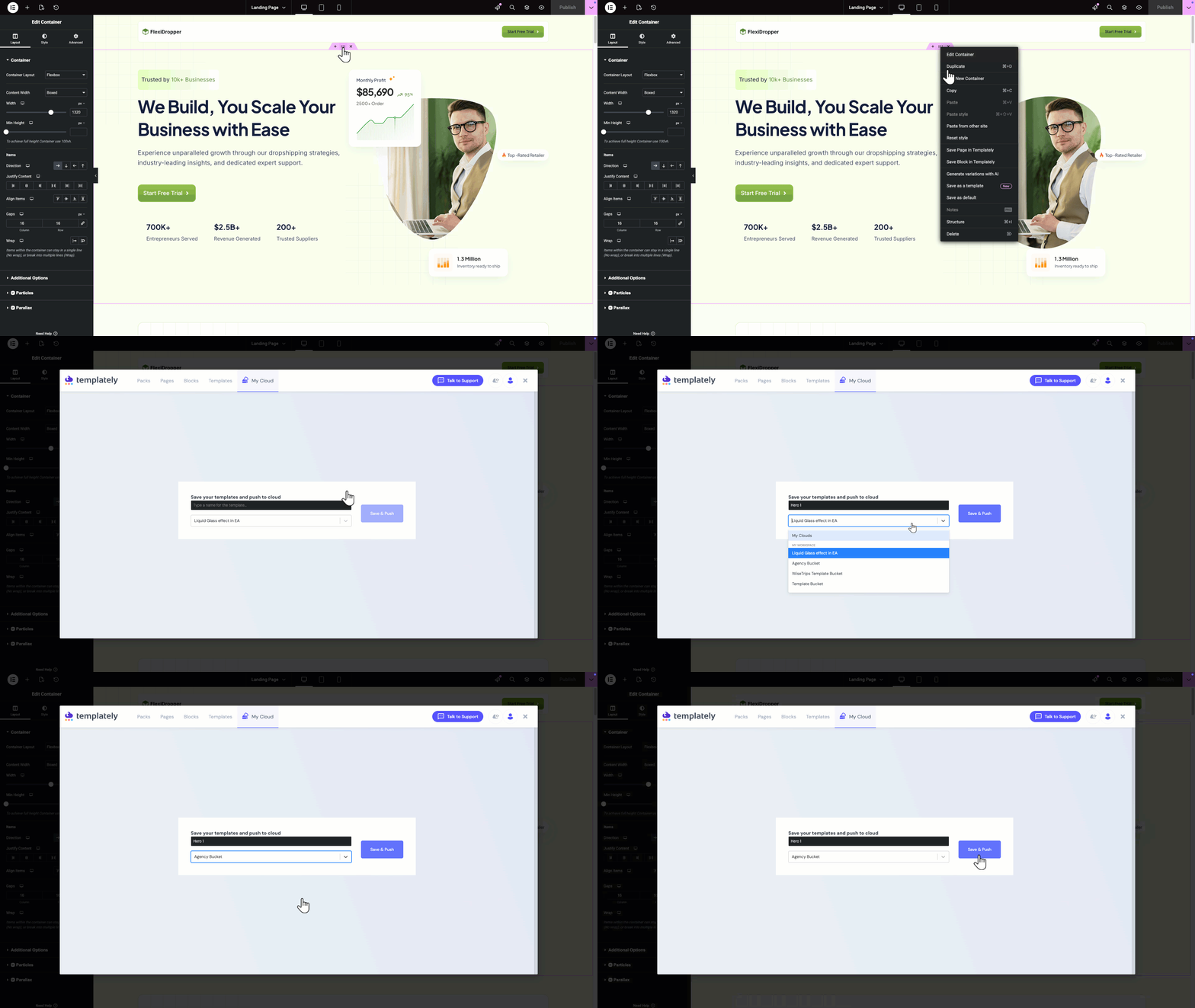
A practical example. Suppose you design a pricing table for a SaaS client. Instead of leaving that table buried in one page, you save it to My Cloud. The next time a different client needs a similar layout, you import it directly and adjust the colors and copy. The structural work, the part that usually takes the most time, is already done.
This feature is particularly useful for content and marketing teams who repeat similar page structures, such as landing pages for sales campaigns or product launch pages, since the base layout rarely needs to change from campaign to campaign.
Workspace: Team Collaboration Without the File Chaos
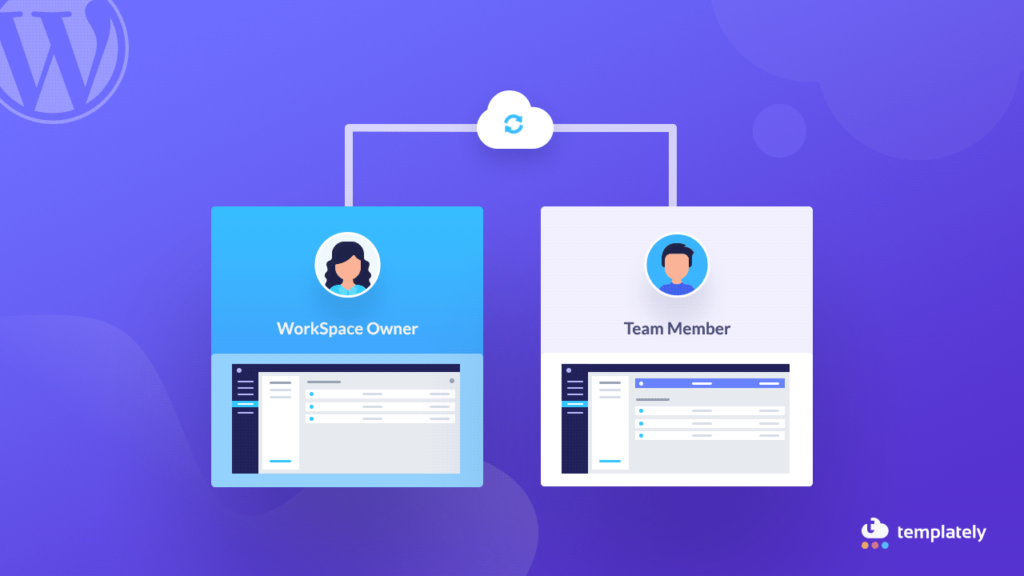
Building websites is rarely a solo activity once an agency or marketing team is involved. Workspace is the feature built specifically to handle that reality and it deserves more attention than it usually gets in product overviews.
This section covers how shared workspaces function and where they fit into a team-based content or design workflow.
Templately Workspace allows multiple users to access the same pool of saved templates and designs through a single shared account. Instead of each team member maintaining a separate, disconnected library, everyone draws from and contributes to the same workspace. A designer can build a section, save it to the shared workspace and a teammate can pick it up immediately to continue building, even from a different location.
This setup mirrors how design tools like Figma handle team libraries, but applied to WordPress page building. For agencies juggling multiple client projects, this removes a common bottleneck: waiting on someone to export and send a JSON file before work can continue.
It is worth noting that workspace collaboration works best when a team agrees on naming conventions for saved templates early on. Without that small bit of structure, a growing shared library can become difficult to navigate, much like an unorganized shared drive.
Full Site Import: Launching Entire Websites in One Click
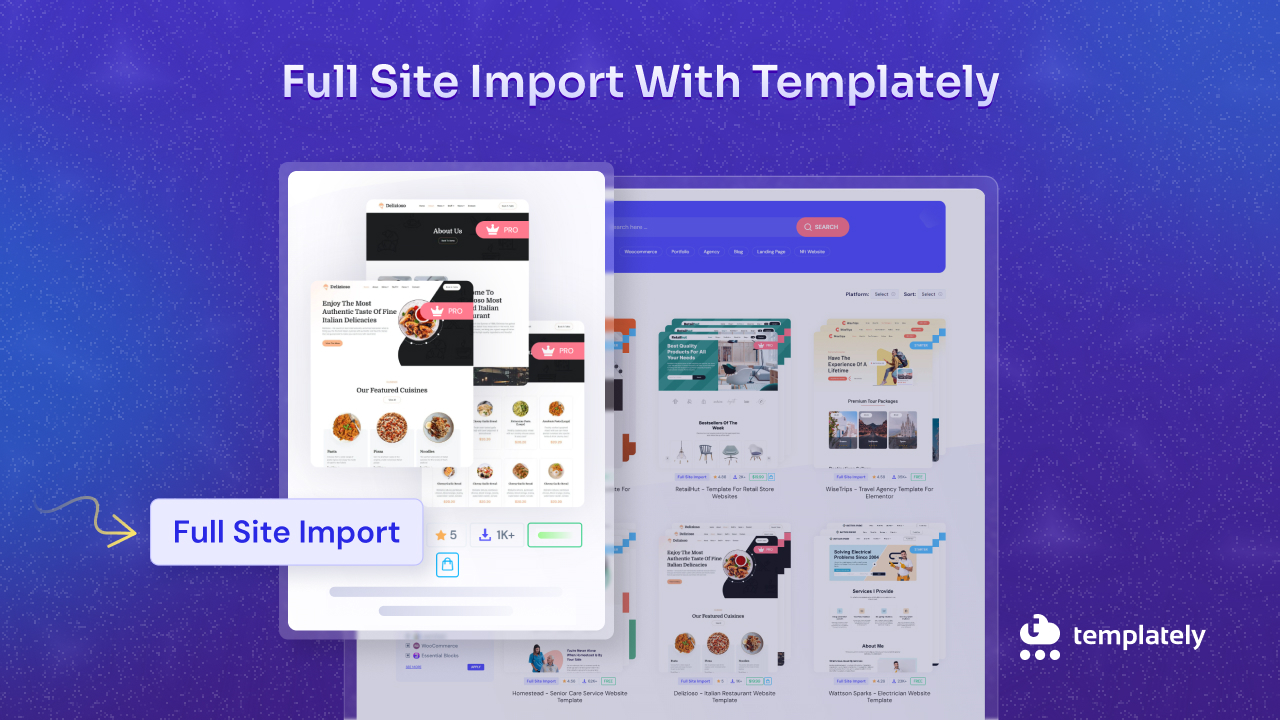
Full Site Import, often shortened to FSI, is one of the features that most clearly separates Templately from a simple template plugin. Rather than importing pages one at a time, FSI brings in an entire website pack, structure and all, with a single click.
Here is what that process looks like in practice and why it matters for project timelines.
A typical website pack in Templately includes the homepage, about page, services or shop pages, contact page and any supporting templates like a blog layout or a 404 page. With FSI, all of those pages import together, already linked through navigation menus, rather than requiring you to import and connect each page individually. This single difference can turn a multi-hour setup process into a matter of minutes.
For agencies running client demos or quick-turnaround projects, this matters directly. A common workflow looks like this: import a relevant full site pack, swap in client branding through global styles, replace placeholder images and copy and the site is ready for client review the same day. This does not replace careful, custom design work, but it dramatically shortens the distance between a blank WordPress install and a presentable starting point.
It is also worth mentioning that FSI works for both Elementor and Gutenberg site packs, so teams are not locked into one builder ecosystem when choosing this approach.
Global Styles: Maintaining Brand Consistency Across an Entire Site
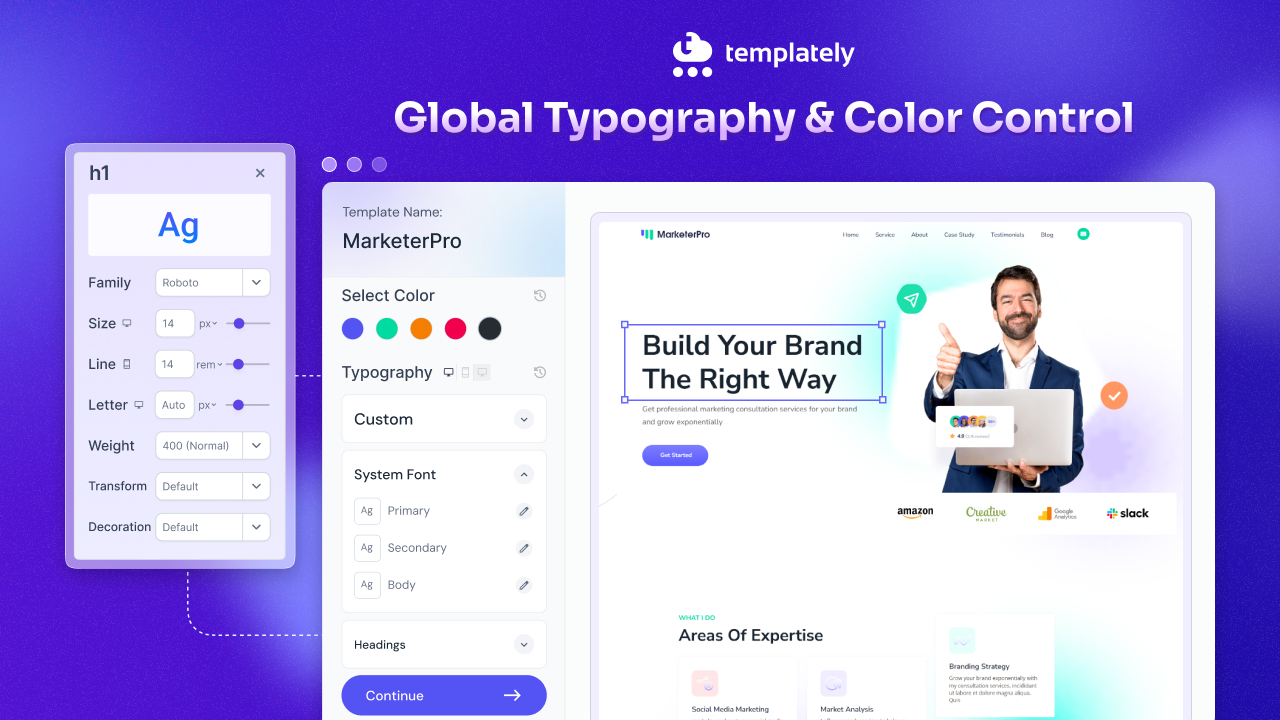
One of the more underrated Templately features is Global Styles, a system for managing brand colors and typography from a single control panel rather than page by page.
This section explains how global styling reduces the manual work of keeping a site visually consistent.
Without a centralized styling system, updating a brand color across a twenty-page website usually means opening every page and adjusting each section manually. Global Styles in Templately removes that repetition. You set your brand colors, fonts and other core style elements once and every imported template that uses those style tokens updates automatically.
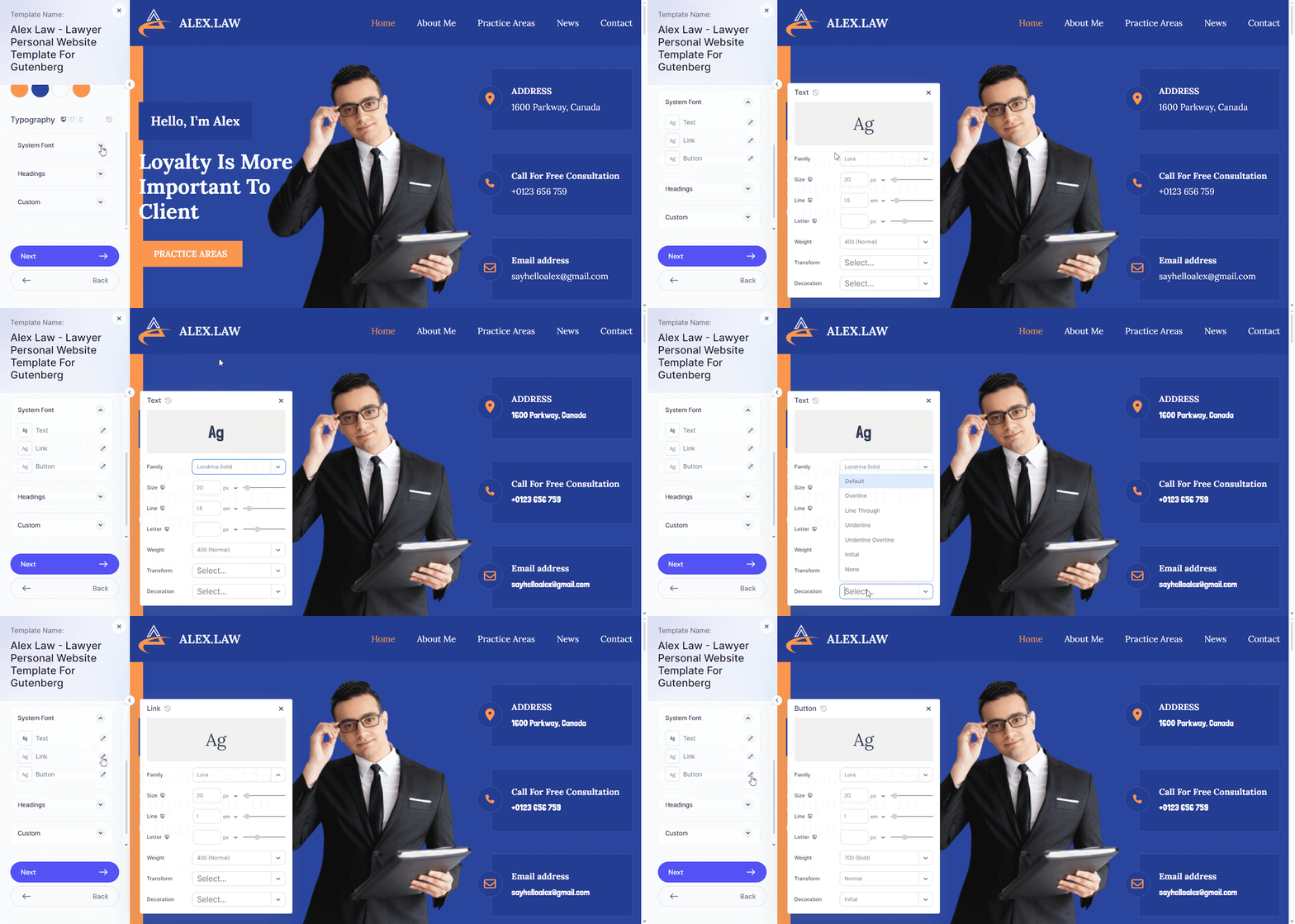
This becomes especially valuable during a rebrand or a mid-project design adjustment. If a client decides to shift their primary brand color partway through a build, that change can apply site-wide in moments rather than requiring a page-by-page audit.
For teams producing many similar pages, such as a marketing department launching several campaign landing pages a month, Global Styles also acts as a quality control layer. New pages automatically inherit the approved brand look, reducing the chance of an off-brand color or font slipping through.
Templately AI: Speeding Up the First Draft
Templately is not just a simple WordPress template library that offers ready designs; it has expanded into an AI-powered solution that allows you to generate a full website template copy, replace placeholder images, and create logos so that you can build a complete website in minutes.
The following section breaks down what these AI features do and where they are genuinely useful versus where human input still matters most.
Templately’s AI-assisted content creation, an area that addresses one of the slowest parts of any website project: getting from a blank page to a usable first draft.
Templately AI Content Generator works by asking a few questions about the business type and goal of the site, then selecting an appropriate template and generating an initial layout and written copy based on that input. The intent is not to produce a finished, polished website but to remove the blank page problem. Instead of starting from nothing, you start from a reasonable first draft that you then refine.
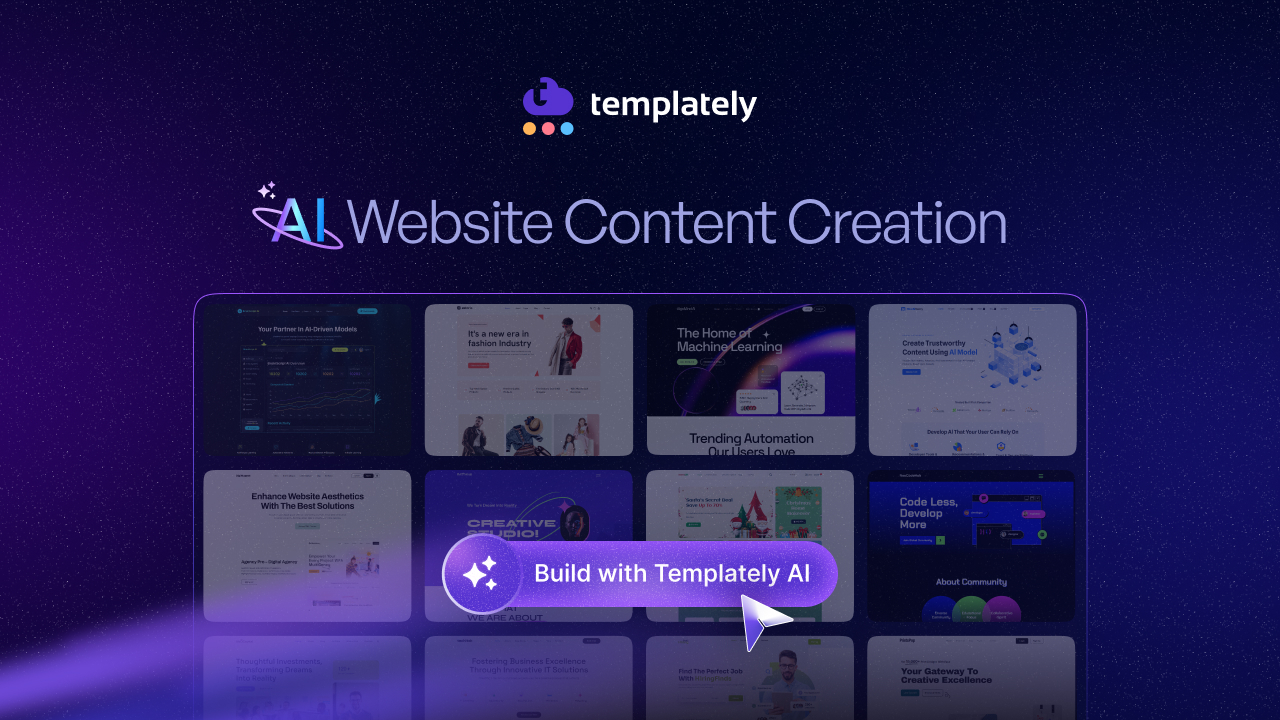
Rather than placeholder ‘Lorem Ipsum text’ sitting in a template, the generator produces niche-relevant draft copy that gives a more realistic sense of how the finished page will read. This is particularly useful when presenting early concepts to a client, since real, contextual copy communicates the vision far better than generic filler text.
AI-generated copy and layouts are a starting point, not a final deliverable. Brand voice, accuracy and nuance still require human review and editing, especially for client-facing content. The genuine time savings come from skipping the initial blank canvas stage, not from skipping the editing process entirely.
Also, Templately AI allows you to replace the placeholder images. So, you can use images from stock photos as preferred. Also, you can generate a logo with Templately AI to match your brand.
Elementor And Gutenberg Compatibility
A feature that often goes unmentioned in feature roundups is Templately’s dual compatibility with both Elementor and Gutenberg, WordPress’s two dominant page-building platforms. This section explains why that flexibility matters for teams that do not standardize on a single builder.
Many WordPress users commit fully to one builder and never look back. But agencies working across multiple clients frequently encounter both ecosystems, since some clients prefer Elementor’s visual drag-and-drop interface while others have moved toward the native Gutenberg block editor for performance or simplicity reasons.
Templately supports both within the same plugin and the same account. Your saved templates, cloud storage, and workspace collaboration all function consistently whether you are building in Elementor or Gutenberg. This means a team does not need to maintain two separate template libraries or learn two separate tools to support clients with different builder preferences.
For freelancers in particular, this flexibility can be the difference between turning down a project because it uses an unfamiliar builder and confidently taking it on, since the underlying Templately workflow stays the same either way.
Bringing the Features Together: A Practical Workflow Example
To see how these Templately features work in combination rather than isolation, consider a realistic project. An agency is asked to build a five-page website for a local service business within a tight one-week deadline.
The team starts with Full Site Import to bring in a relevant pack, immediately establishing the site structure. Global Styles are applied to match the client’s brand colors and fonts across all five pages at once. The AI Content Generator produces a realistic first draft of copy for client review, replacing generic placeholder text. Two team members work inside Workspace and design in collaboration. Any custom section built specifically for this client, such as a testimonial layout, gets saved to My Cloud for reuse on a future project in a similar industry.
None of these features alone would compress a five-page build into a few days. Together, they remove most of the repetitive setup work, leaving the team’s time for the parts that genuinely require human judgment: messaging, layout refinement, and final polish.
From Template Library to Full Workflow: What Templately Is Really Built For
Templately’s template library is what first draws most users in, but the features beyond that library are what turn it into a genuine website-building platform. My Cloud and Workspace solve storage and collaboration problems. Full Site Import and Global Styles cut down repetitive setup work. The AI features remove the blank page barrier, and multi-site access makes the entire system scale naturally for agencies.
If you have only explored Templately as a place to browse pretty page designs, it is worth spending an afternoon testing the workspace and AI features on an actual project. The template library gets you started, but these other tools are what shape how efficiently you actually build.
If you have found this blog helpful, share your opinion in our Facebook community. You can subscribe to our blogs for valuable tutorials, guides, knowledge, tips and the latest updates.