
When someone lands on your website, the hero section usually does the first major piece of communication. Before visitors read the rest of the page, compare plans, explore your navigation, or scroll to testimonials, they see the hero. That means this section has to do more than look good. It has to quickly explain value, create trust, and point people toward the next step.
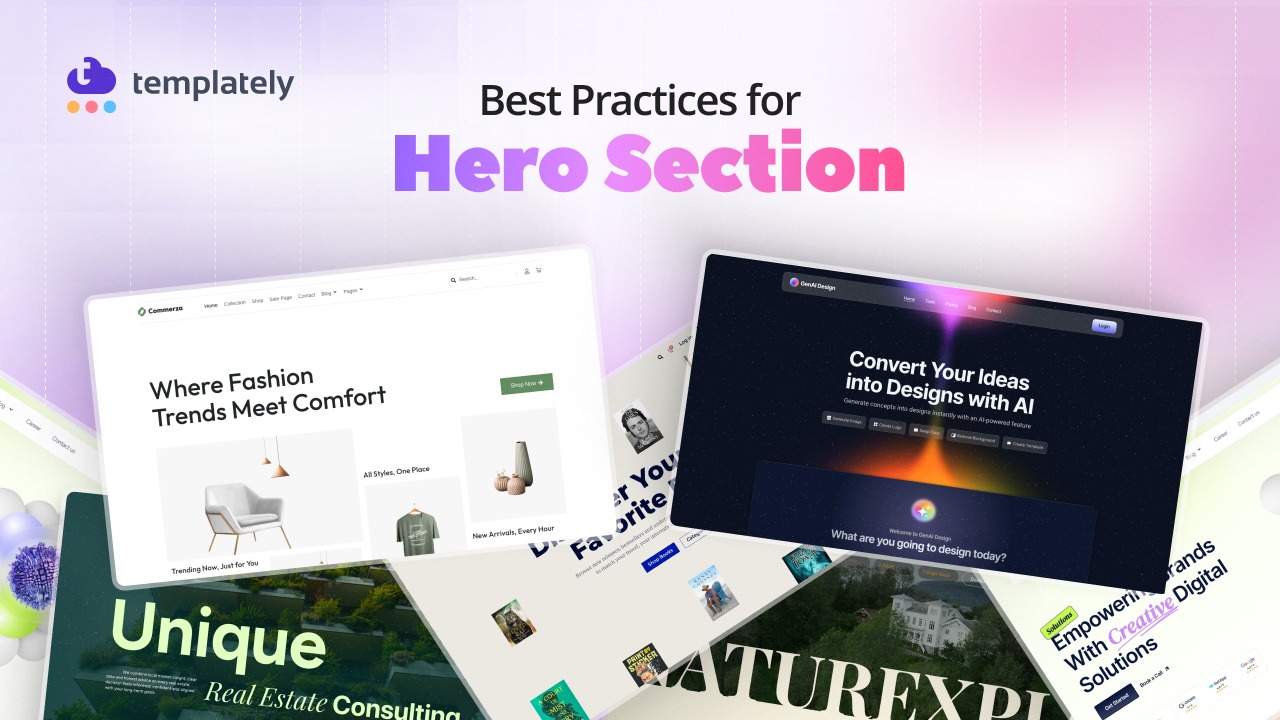
That has always been true to some extent, but in 2026, hero sections matter even more. People make decisions faster, browse more often on mobile devices, expect polished performance and are less forgiving of slow or unclear interfaces. At the same time, website owners are balancing branding, accessibility, responsiveness and conversions more carefully than before.
For WordPress users, that creates both a challenge and an opportunity. The challenge is that a hero section can easily become cluttered, oversized, slow, or vague. The opportunity is that modern WordPress workflows, especially when using flexible design tools and ready-made layouts, make it easier to create hero sections that are both beautiful and strategic.
In this guide, we will break down the best practices for WordPress hero section design in 2026, explore common mistakes to avoid, look at emerging trends and walk through a practical process you can follow to build better hero sections for your own website.
What Is a Hero Section on a WordPress Website?
A hero section is the prominent top section of a webpage that appears immediately when a visitor lands on it. It is usually the first large content block visible above the fold and is designed to introduce the page’s main message.
On a WordPress website, a hero section often includes a few core elements working together:
- a headline
- a short supporting description
- a call to action
- a visual element such as an image, illustration, screenshot, or video
- optional trust signals like ratings, logos, or customer proof
In simple terms, the hero section answers the visitor’s first question: What is this? Why should I care? What should I do next?
You may also hear the phrase hero banner. While the terms are often used interchangeably, they are not always exactly the same. A hero banner usually emphasizes the visual or promotional aspect of the section, while a hero section often refers to the full strategic area that combines message, CTA, layout and supporting visual elements. In practice, most WordPress site owners use the two phrases loosely, but when thinking about performance and conversions, “hero section” is the more useful concept.
Because WordPress supports such a wide range of business types, there is no single “correct” hero section style. But there are clear best practices that make some hero sections far more effective than others.
Best Practices for WordPress Hero Section Design in 2026
A well-designed hero section can instantly shape how visitors understand and respond to your website. In 2026, WordPress hero sections need to do more than look visually impressive; they must communicate value quickly, work seamlessly across devices and support both performance and conversions. As user expectations continue to rise, clarity, speed, accessibility and responsive design have become essential parts of effective hero section design. In this section, we will explore the best practices that help WordPress websites create hero sections that are modern, strategic, and built to convert.
1. Lead with a Clear, Benefit-Driven Headline
The headline is usually the most important element in the hero section. If the headline is vague, clever without being clear, or focused on the company instead of the visitor, the entire section becomes weaker.
In 2026, users scan quickly. They do not want to decode abstract marketing language. They want clarity. Your headline should communicate a benefit, outcome, or relevant solution as quickly as possible.
A weak headline says something broad like:
The Future of Better Websites
A stronger headline says something specific like:
Build Faster WordPress Websites Without Writing Code.
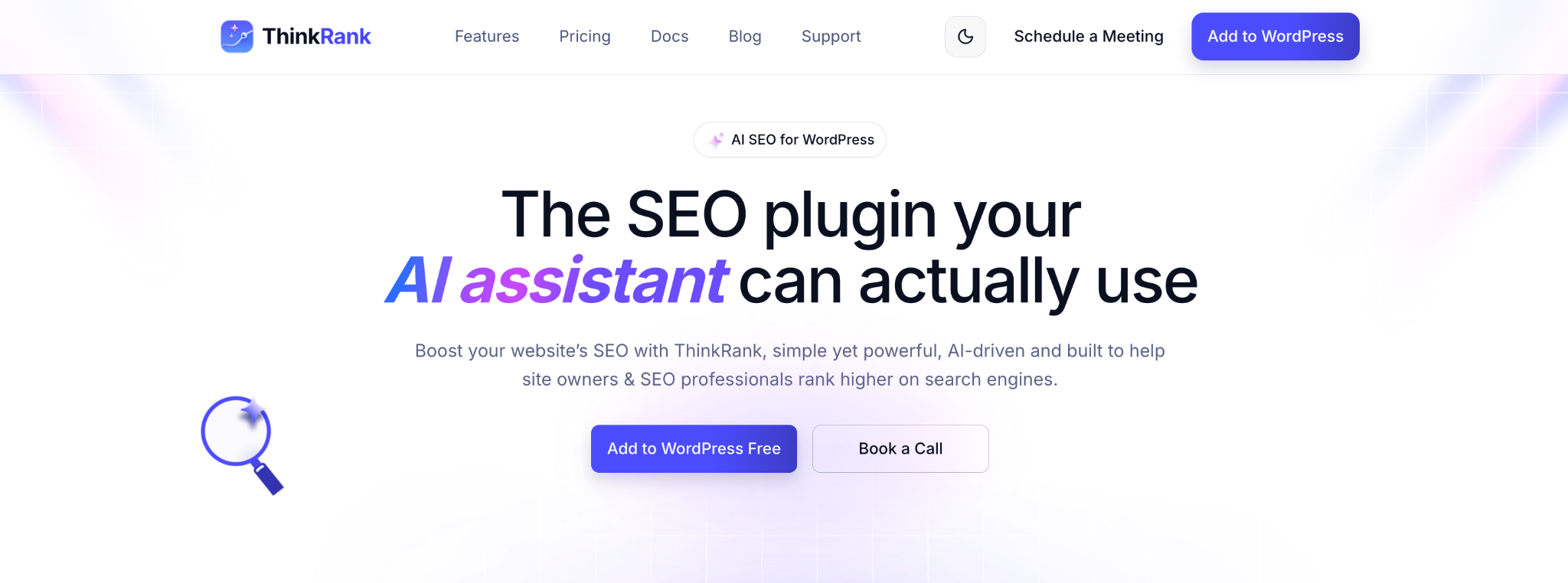
The difference is immediate. The second version tells the visitor what they can do, what platform it relates to, and what friction is being reduced.
A good hero headline should usually do at least one of these things:
- address a problem
- promise an outcome
- clarify who the solution is for
- reduce uncertainty
- create relevance fast
Your supporting text should then add context, not repeat the same message in different words. If the headline delivers the main promise, the supporting copy can explain how it works, who it helps, or what makes it different.
For a brand like yours, the same rule applies when you start from a ready-made hero template. Replace the placeholder headline with one that names your visitor’s goal, because people looking for templates, layouts, and design solutions for WordPress are typically goal-oriented. A benefit-first headline works better than a brand-first slogan.
2. Design the Hero around One Primary Goal
One of the biggest mistakes in hero section design is trying to make the section do too much at once. If a visitor sees three different messages and four competing buttons, the experience becomes less persuasive, not more.
Every hero section should be designed around one primary goal. Ask yourself what you most want the user to do after reading the hero. That action might be:
- get started
- explore templates
- book a demo
- start free
- shop now
- view pricing
Once you know the goal, your CTA hierarchy becomes easier to design. The primary CTA should be the most visible and most obvious next step. If you include a secondary CTA, it should be clearly secondary in styling and placement.
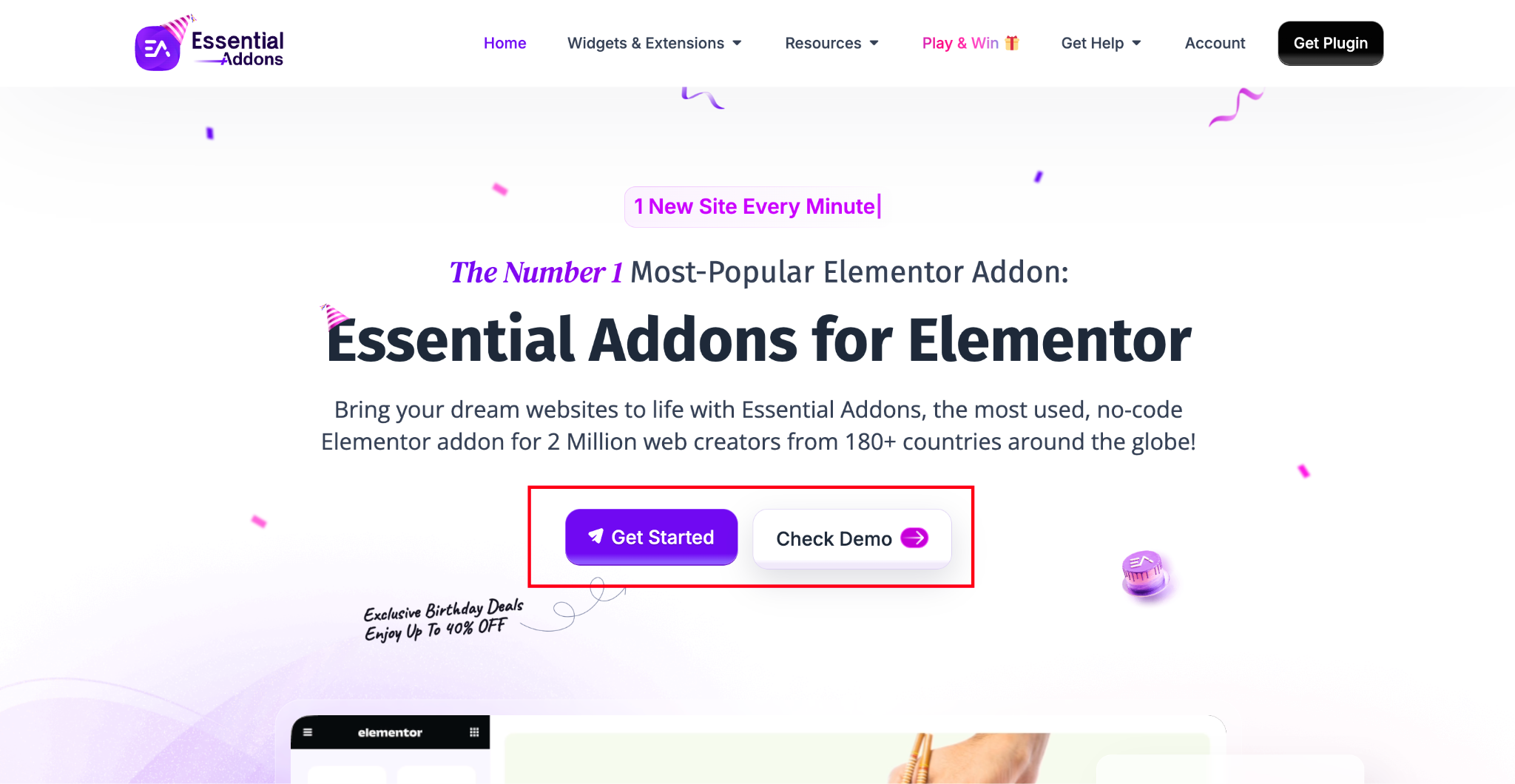
The hero section should not force visitors to choose between too many actions before they even understand the offer. The more focused the goal, the more effective the section becomes.
This is particularly relevant for WordPress businesses promoting plugins, themes, template libraries, or design systems. If the page exists to drive template exploration, then the hero should lead naturally toward that outcome. For example, a template library’s landing page can benefit from CTA language that emphasizes usability and momentum, such as “Explore Templates” or “Start Building Faster,” rather than generic button text.
3. Use Visuals That Support the Message
A hero visual should reinforce the message, not compete with it.
This sounds obvious, but many websites still use large decorative visuals that look polished without adding meaning. In a high-performing hero section, the visual should help visitors understand the offer more quickly.
Depending on the page type, useful hero visuals may include:
- product screenshots
- editor or UI mockups
- short demo videos
- illustrations
- clean photography
- interactive previews
- before-and-after comparisons
If you are promoting a WordPress design product, showing the actual interface, website preview, or template outcome is usually far more effective than using a generic abstract shape or unrelated stock image. For example, a visual showing how a user can apply a professionally designed layout with Templately communicates more than a decorative background ever could.
At the same time, more visual complexity does not automatically mean better design. A simple hero with strong typography, one CTA, and a relevant product screenshot often outperforms a flashy layout filled with motion and layered decorative elements.
If the visual does not support comprehension, trust, or conversion, it may not belong there.
4. Make the Hero Section Mobile-First
A mobile-first mindset is essential now. Many users will see your hero section on a phone before they ever see it on desktop, and Google recommends responsive design as the preferred pattern because it is easier to implement and maintain consistently across devices.
That means your hero section should not be designed on desktop first and “shrunk down” later. It should be planned for smaller screens from the start.
A mobile-first hero section should make sure:
- the headline remains readable without awkward line breaks
- the CTA is easy to tap
- the visual does not overwhelm the text
- important information appears early
- spacing feels intentional rather than cramped
- the section does not become so tall that it buries the rest of the page
Many desktop hero sections look dramatic because they use extra height, wide whitespace, and large media. On mobile, that same approach often creates friction. Visitors may need to scroll too far before they even see the CTA or supporting content.
A better approach is to prioritize clarity first, then adapt the layout for larger breakpoints. In practice, WordPress users can save a lot of time here by starting with responsive sections or template kits that already consider mobile stacking, spacing, and button sizing. This is one of the reasons curated design systems and reusable sections are valuable when working with a template library.
5. Prioritize Website Speed And Core Web Vitals
Hero sections often contain the largest and most visually dominant assets on a page, which means they frequently affect performance more than almost any other section.
Google recommends aiming for a Largest Contentful Paint (LCP) of 2.5 seconds or less for a good user experience. Since the hero section often contains the LCP element, poor hero design can directly hurt perceived speed.
For WordPress websites, this usually means paying close attention to:
- hero images
- background videos
- custom fonts
- animation libraries
- JavaScript-heavy effects
- oversized sliders
- large above-the-fold media
Good practices include making critical hero assets easy for the browser to discover early, avoiding lazy-loading on likely LCP elements, preloading important background images or web fonts where appropriate, using fetchpriority=”high” for the primary hero image when relevant, and making sure font loading does not unnecessarily block visible text.
This matters because many websites accidentally treat hero content like any other media block. But above-the-fold content is not the place for lazy decisions. If your hero image is huge, your background video is heavy, or your font setup delays rendering, visitors feel the impact immediately.
Use modern formats like WebP or AVIF when appropriate, compress images carefully, avoid unnecessary motion assets, and keep your heaviest scripts out of the first screen whenever possible. Fast hero sections do not just improve user experience; they also make the rest of the page feel more trustworthy and usable.
6. Create Strong Visual Hierarchy
A great hero section tells people where to look first.
Users should naturally move through the section in a logical order:
Headline → Supporting message → CTA → Visual or trust signal
If everything is equally bold, equally large, or equally colorful, the hierarchy collapses. That often happens when designers add too many accents, oversized badges, floating labels, multiple buttons, and heavy visuals all in the same space.
Strong visual hierarchy comes from balancing:
- typography size
- font weight
- contrast
- spacing
- grouping
- alignment
- proximity between related elements
The headline should feel dominant. The supporting text should be easy to find but clearly secondary. The CTA should stand out as the action point. Trust signals should support confidence without hijacking attention.
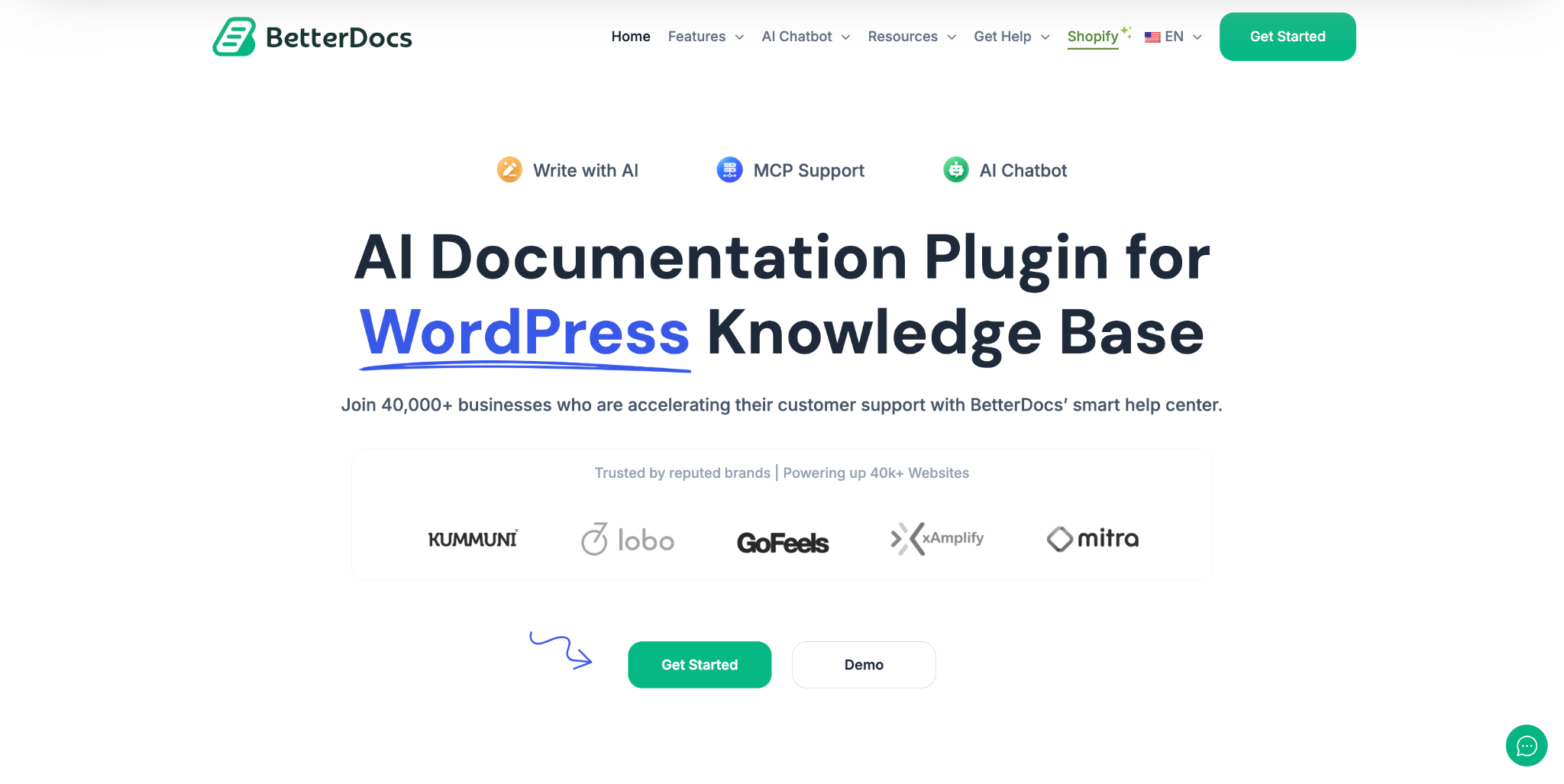
Whitespace is a major part of hierarchy too. A crowded hero section is harder to scan, even if every individual element is attractive. Clean spacing gives the main message room to breathe and helps the user process the section faster.
This is especially helpful when building WordPress pages with reusable design components. When a section library is well structured, it becomes easier to preserve hierarchy consistently across pages instead of redesigning every hero from scratch.
7. Use Typography That Improves Readability
Typography is one of the fastest ways to make a hero section feel polished or confusing.
The right fonts help reinforce brand identity, but readability should come first. In a hero section, text has to perform, not just decorate.
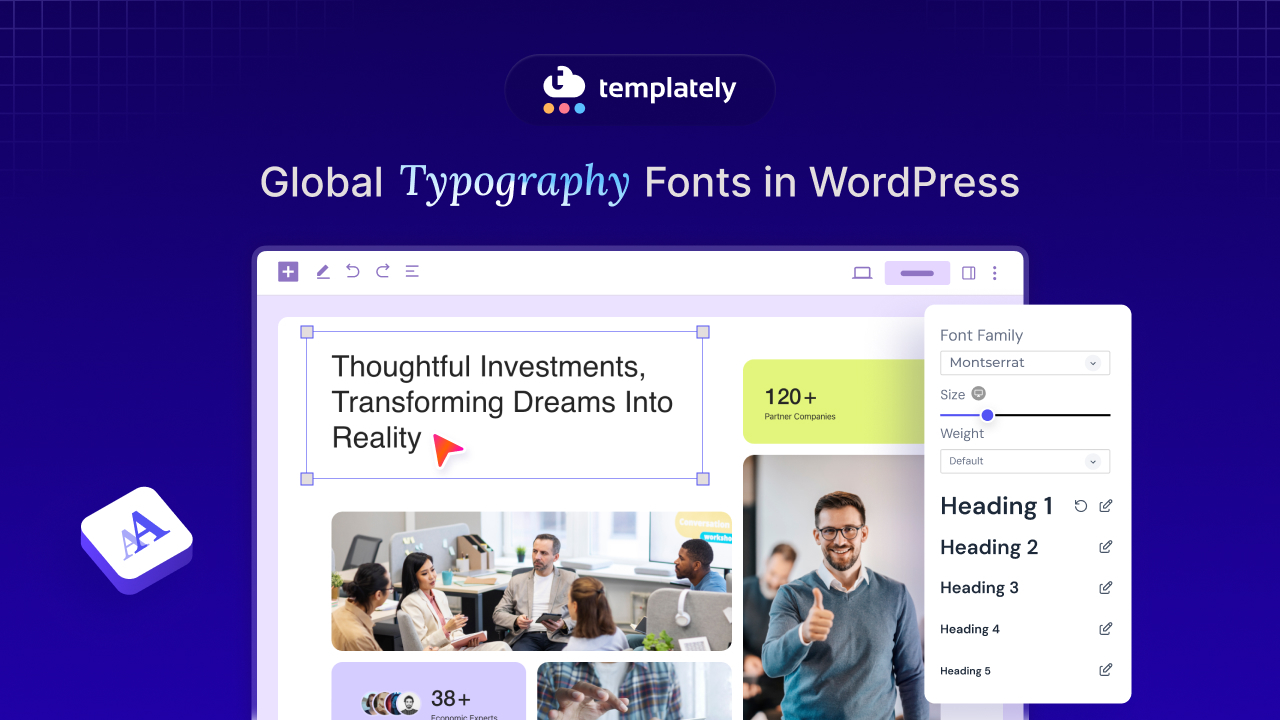
A few reliable principles matter here:
- use typefaces that fit the brand without harming legibility
- keep line lengths manageable
- use responsive sizing across breakpoints
- avoid too many font families
- limit unnecessary font weights
- keep enough contrast between text and background
- use line height that supports comfortable scanning
Typography choices also affect performance. Custom fonts can delay rendering if handled poorly, and web.dev specifically notes that font loading strategy can impact LCP when the hero’s main visible content is text.
Stylized typography can work well for creative portfolios or agency pages, but if users struggle to parse the headline in a few seconds, the hero is underperforming. Strong typography should make the message easier to absorb, not harder.
If your audience includes WordPress users, agencies, freelancers, or business owners, clean, modern, conversion-friendly typography tends to work better than experimental headline styling that sacrifices clarity.
8. Build Accessible Hero Sections
Accessibility should not be treated as a later-stage fix. It should be part of how the hero is designed from the beginning.
A hero section is often text-heavy, visually layered, and interaction-driven, so it can easily introduce accessibility problems if not planned carefully. Common issues include low text contrast over image backgrounds, unreadable buttons, motion-heavy animations, and inaccessible interactive elements.
WCAG 2.2 recommends a minimum contrast ratio of 4.5:1 for normal text and 3:1 for large text, and emphasizes that adequate light-dark contrast is essential for readability across different visual abilities, including users with reduced contrast sensitivity and color vision deficiencies.
A more accessible hero section should include:
- strong text-to-background contrast
- meaningful alt text where relevant
- buttons and links that work with keyboard navigation
- visible focus states
- readable type sizes
- no essential information communicated by color alone
- accessible alternatives for video or motion-based content
If you use animation, you should also respect reduced-motion preferences. W3C guidance around animation accessibility supports giving users a way to avoid motion that could create discomfort or distraction.
Accessible design improves usability for everyone, not just a subset of users. A hero section that is easier to read, easier to navigate, and easier to understand tends to convert better too.
9. Use Animation with Purpose
Animation can absolutely improve a hero section, but only when it serves a clear purpose.
Subtle motion can guide attention, create polish, highlight interactions, or help explain a product. But excessive motion often weakens the section by distracting from the message, slowing the page, and creating accessibility concerns.
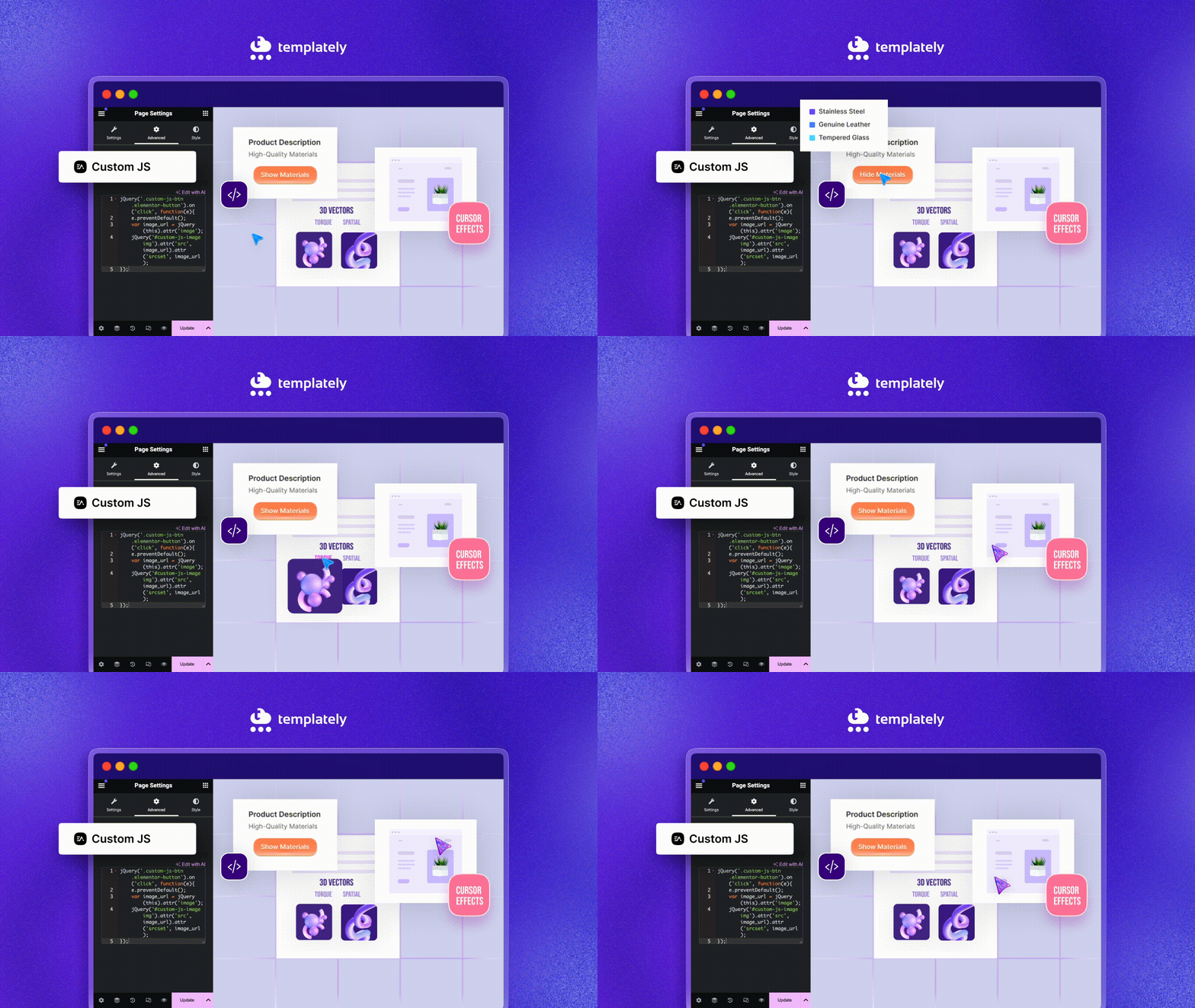
Good uses of motion in a hero section include:
- gentle entrance transitions
- hover or focus micro-interactions
- lightweight UI demonstrations
- short product walkthroughs
- scroll cues used sparingly
Less effective uses include:
- aggressive parallax
- constant floating elements
- looping decorative motion everywhere
- heavy autoplay video backgrounds
- animation that delays access to the CTA or main message
In 2026, better design is increasingly about intentionality rather than novelty. Just because something can move does not mean it should.
If motion does not clarify the product, improve the user experience, or support engagement in a measurable way, a static or simpler alternative may work better.
10. Add Trust Signals without Overcrowding the Hero
Trust signals can be a valuable addition to a hero section, especially for SaaS, ecommerce, agencies, and service-based websites. People are more likely to engage when they quickly see signs of credibility.
Useful trust signals may include:
- customer logos
- star ratings
- user counts
- awards
- short testimonials
- review snippets
- security or payment badges
The key is restraint. Trust signals should support the main message, not compete with it.
For example, if the hero already has a strong headline, a clear CTA, and a relevant product visual, a short row of well-known customer logos can strengthen confidence without adding noise. On the other hand, cramming ratings, three testimonials, four trust badges, and multiple labels into the same space makes the hero feel crowded.
For a WordPress product, trust can be communicated especially well through ecosystem familiarity, design quality and visible proof of usefulness. Sometimes a clean statement about what you offer, combined with real product visuals and a short credibility cue, is more effective than trying to stuff every achievement into the first screen.
11. Test Your Hero Across Devices And Screen Sizes
Responsive design is not just about shrinking columns. Once you have planned the hero mobile-first, test how it actually behaves at each breakpoint before you publish.
For hero sections, responsive testing should include:
- desktop monitors
- laptops
- tablets
- large phones
- smaller mobile screens
You should check:
- how the headline wraps
- whether the CTA remains visible
- whether the image crops important content
- whether spacing feels balanced
- whether trust signals stack well
- whether the section becomes too tall or too compressed
Watch for problems a desktop preview hides: a hero image that crops a subject’s face on a narrow screen, a background overlay that keeps text readable on one screen but not on another, or trust badges that wrap into an untidy stack. Use the responsive preview in Elementor or the block editor, then check the page on at least one real phone.
This is why device-aware hero design matters so much in WordPress. The page builder or block editor may make sections easy to assemble, but effectiveness comes from testing how the section actually behaves across breakpoints.
12. Match the Hero Design with Your Brand Identity
A hero section should feel like part of the larger website, not a disconnected promo banner sitting on top of it.
That means the design should align with your broader brand identity through:
- color usage
- typography
- button styles
- image treatment
- icon style
- tone of voice
- spacing rhythm
- overall visual feel
Consistency helps users trust the experience. If the hero section looks dramatically different from the rest of the site, the page may feel fragmented or overly template-driven in the wrong way.
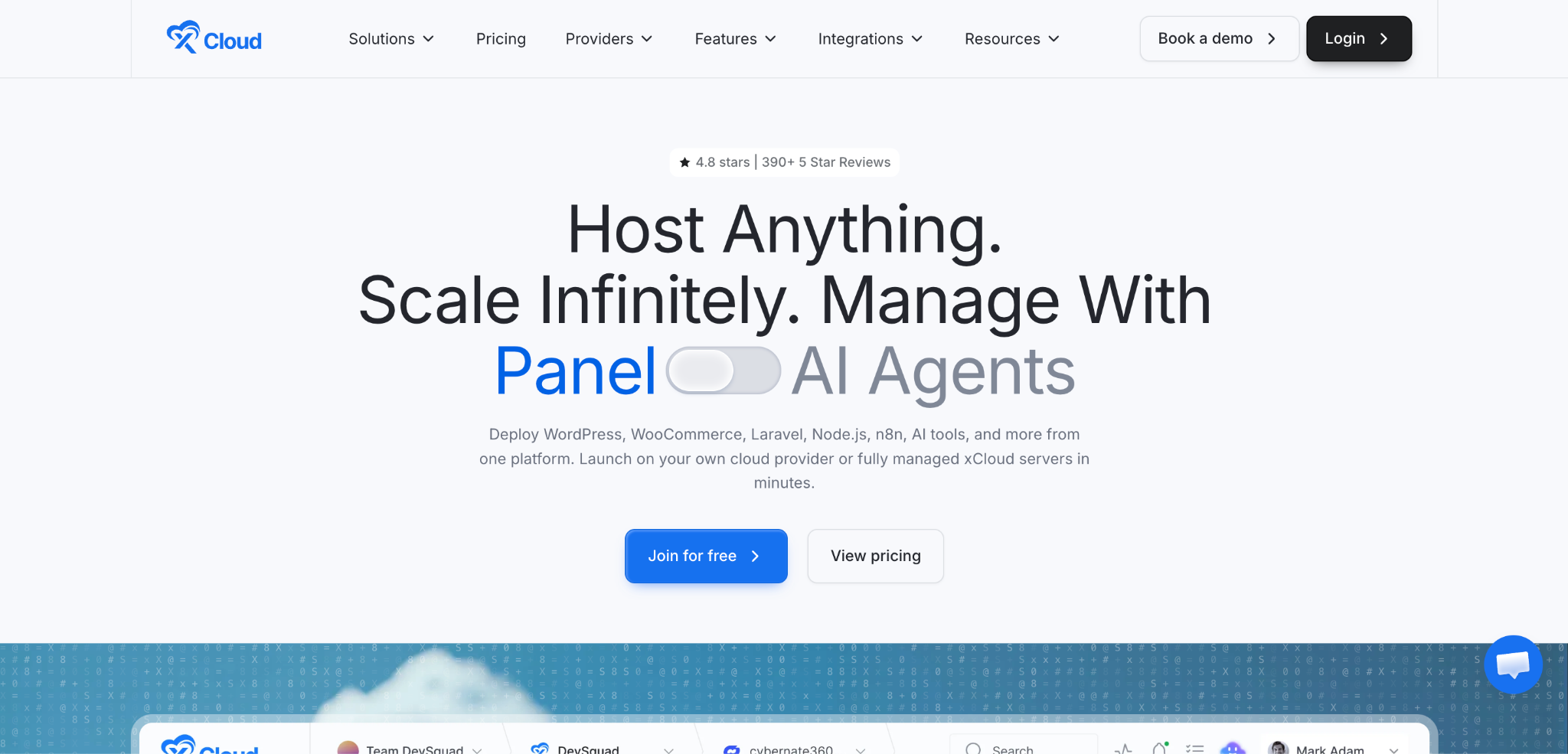
The good news is that WordPress users now have better access to reusable sections, starter sites and template systems that make consistency easier to maintain. When building multiple pages, a tool like Templately can help keep every hero on the same design language across the site. Templately is a template library for Elementor and the block editor (Gutenberg), so you insert hero sections into the builder you already use.
Once a hero is finished, you can save it to Templately MyCloud and reuse it on other pages or sites, or share it with your team through WorkSpace, while still customizing it for different offers, campaigns, or audiences. The free plan includes limited MyCloud storage and one WorkSpace, and Templately PRO removes those limits.
Brand consistency does not mean every hero has to look identical. It means each one should feel clearly connected to the same brand.
13. Make the Hero Section Conversion-Focused
A hero section is not just a branding space. It is a decision-making space.
Visitors arrive with some level of intent, even if it is still vague. Your job is to connect that intent with a clear next step. That means your hero should make the value proposition obvious and reduce unnecessary friction.
A conversion-focused hero section usually does a few things well:
- explains the offer clearly
- reflects the visitor’s goal or problem
- uses CTA text that communicates action or outcome
- removes distractions
- introduces just enough proof to build confidence
- supports the rest of the page journey
Many WordPress websites lose conversions because the hero section focuses too heavily on aesthetics and not enough on intent. It may look premium, but if visitors cannot quickly understand what they are supposed to do, conversions suffer.
Testing matters here. Even small changes in headline wording, CTA labeling, layout balance, or proof placement can improve results. Hero sections should be reviewed like strategic assets, not just visual headers.
14. Personalize Hero Sections Where It Makes Sense
Personalization is becoming more practical, but it should be used carefully.
A personalized hero section can increase relevance when it helps users see a more fitting message, product category, or action path. This can work well for campaign pages, returning visitors, regional offers, or audience-specific landing pages.
Examples include:
- location-based messaging
- new vs. returning visitor experiences
- category-specific product positioning
- campaign-specific copy
- audience-specific landing page variations
However, personalization should never feel invasive, confusing, or unpredictable. If the visitor cannot understand why the message changed, or if dynamic content makes the page feel inconsistent, the effect may backfire.
For many WordPress sites, the most practical form of personalization is not deep behavioral targeting but thoughtful segmentation. That could mean building different hero sections for different landing pages, industries, or use cases.
For example, you could build hero variations tailored for agencies, freelancers, WooCommerce stores, or beginners. That is often more useful than trying to personalize everything at the individual level.
15. Keep the Design Simple And Scannable
One of the best hero section principles for 2026 is also one of the oldest: simplify.
A hero section should introduce the page, not explain the entire business. If you try to communicate every feature, every proof point, every offer, and every audience segment above the fold, the result becomes harder to scan.
Simplicity improves clarity.
That means:
- shorter copy
- fewer competing elements
- stronger spacing
- more intentional visuals
- clearer CTA hierarchy
- better emphasis on the main value proposition
A simple hero section is not empty. It is focused. It gives visitors enough information to understand the page and take the next step without overwhelming them.
In many cases, the best-performing hero sections are not the most visually complex. They are the ones that make understanding effortless.
WordPress Hero Section Design Trends to Watch in 2026
Hero sections continue to evolve, and a few trends are becoming especially visible across WordPress website design.
AI-Assisted Hero Experiences
AI is influencing how websites are designed and how content is adapted. In hero sections, this may show up through faster visual generation, more dynamic copy testing, smarter layout iteration, and better audience-specific messaging. The best use of AI is usually not making the section feel robotic, but helping teams create clearer, more relevant experiences more efficiently.
Interactive Product Demonstrations
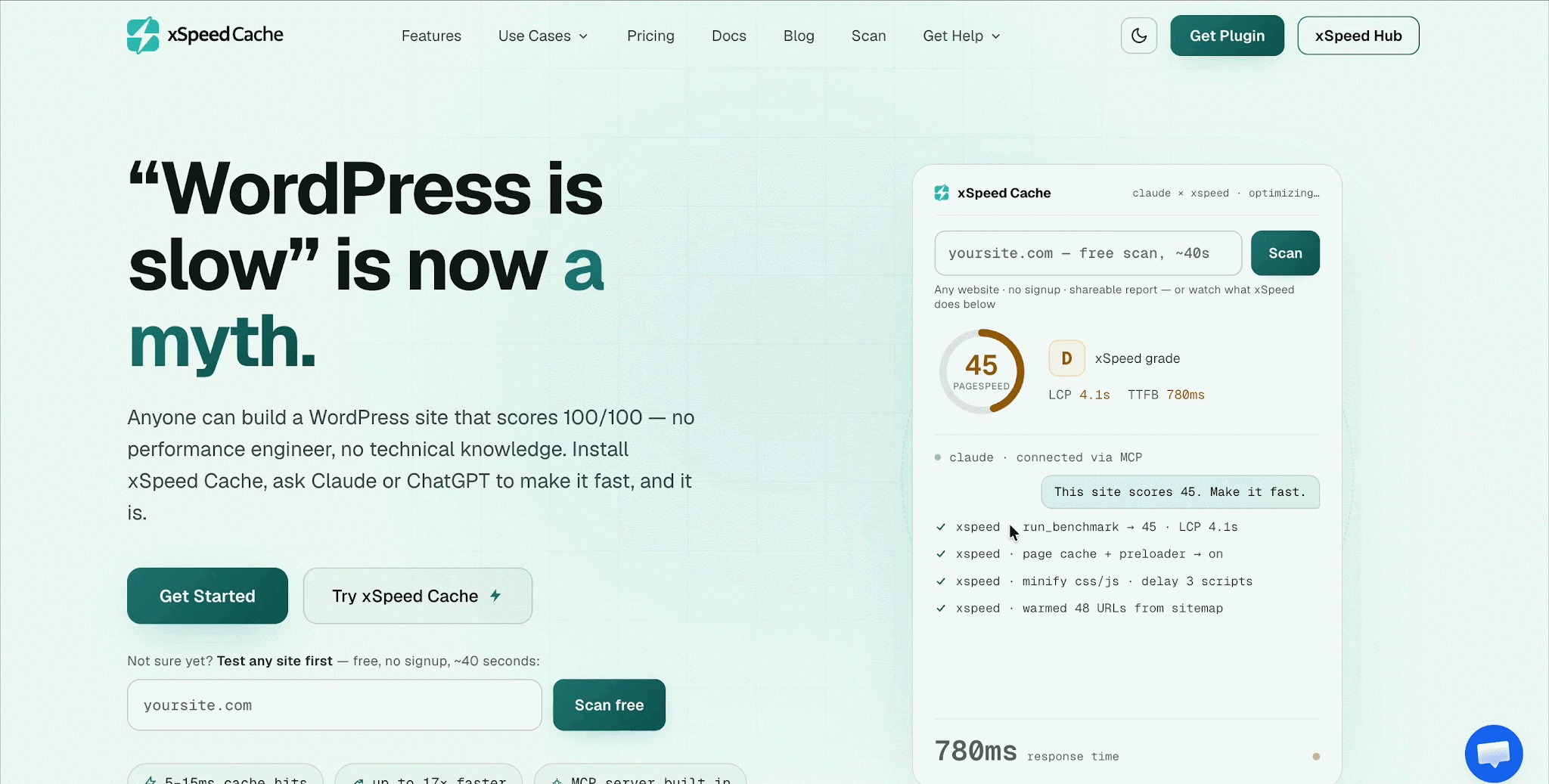
For digital products, especially SaaS and design tools, users increasingly expect to see the product in action early. Short UI demos, embedded previews, and lightweight interaction within the hero can reduce uncertainty and make the offer feel more tangible.
Bold Typography
Large editorial headlines continue to perform well when paired with minimal layouts. This trend works especially well when the message is strong enough to carry visual impact without relying on excessive decoration.
Minimalist Hero Sections
More brands are moving toward hero sections with less copy, more whitespace, one clear CTA, and fewer distractions. Minimalism works best when it increases clarity, not when it removes useful context.
Motion And Micro-Interactions
Subtle, purposeful movement continues to be effective. Instead of dramatic full-screen animation, more websites are using motion to guide attention, support product explanation, and add polish in smaller ways.
Authentic Visuals
Generic stock imagery continues to lose impact. Brands are leaning more toward real product imagery, custom visuals, interface previews, and human-centered photography that feels relevant to the actual offer.
Common WordPress Hero Section Mistakes to Avoid
Even visually attractive hero sections can underperform if they fall into common traps.
One of the biggest issues is using a vague headline that sounds polished but says very little. Another is adding too many CTAs, which weakens focus and creates indecision. Performance problems are also common, especially when oversized images, sliders, or autoplay background videos make the section slower than it needs to be.
Other frequent mistakes include making the hero too tall on mobile, using poor contrast between text and the background, overusing animation, hiding the main CTA, relying on generic stock visuals, ignoring accessibility needs, designing only for desktop, or prioritizing aesthetics over user intent.
If your hero section looks impressive but does not quickly explain value and move the visitor forward, it needs refinement.
Examples of Effective WordPress Hero Section Structures
Not every website needs the same hero format. Different goals call for different structures.
Structure 1: Product-Focused
Headline → Description → CTA → Product Screenshot
This works well for plugins, apps, and digital tools because it helps users quickly understand what the product is and what it looks like.
Structure 2: Service Business
Headline → Value Proposition → CTA → Customer Proof
This is effective for agencies, consultants, and service providers that need to establish credibility quickly.
Structure 3: Ecommerce
Headline → Product/Offer → CTA → Product Photography
This works best when the product visual itself helps drive desire or urgency.
Structure 4: SaaS
Headline → Short Explanation → CTA → Product Interface
A strong fit for software products, especially when the interface can reduce ambiguity and build trust immediately.
Structure 5: Portfolio Or Creative Agency
Bold Statement → Selected Work → CTA
This format lets the work itself act as proof while keeping the message direct.
How to Build a WordPress Hero Section with Templately
Here is a practical process you can follow to put these best practices into a working hero section without writing code.
Step 1: Pick a Hero Template
Install the Templately plugin and sign in to your Templately account. In your WordPress dashboard, click Templately, select Elementor or Gutenberg in the builder menu, then browse Blocks for hero sections or Pages for full layouts. Free templates work with a free account, while templates marked Pro need Templately PRO.
Step 2: Insert It into Elementor or the Block Editor
Click a template to preview it, then click Insert This Block (or Insert This Page for a full layout). Templately lists any plugins the template needs before it inserts. If you are already editing a page in Elementor, you can also click the purple Templately icon in the drop area to add the hero in place.
Step 3: Customize the Headline, CTA and Visual
Replace the placeholder headline with a benefit-driven one, keep one primary CTA, and swap in a visual that shows your real product or offer. Match colors, fonts and button styles to the rest of your site.
Step 4: Test It on Mobile
Preview the hero at tablet and mobile sizes. Check how the headline wraps, whether the CTA stays visible, how the image crops and how tall the section gets, then run a speed test to make sure the hero image is not slowing down LCP.
Step 5: Save the Finished Hero to MyCloud
In Elementor, right-click the hero section and choose Save Block in Templately. In the block editor, click Save Page in Templately in the top toolbar to save the page. Your design is then stored in Templately MyCloud, ready to reuse on other pages or sites, or to share with your team through WorkSpace.
Final Checklist: Is Your WordPress Hero Section Ready?
Before publishing, review your hero section with a simple checklist:
- Is the main message clear within a few seconds?
- Does the headline communicate a benefit?
- Is there one obvious primary CTA?
- Does the visual support the message?
- Is the layout responsive across devices?
- Does the section load quickly?
- Is the text easy to read and accessible?
- Are animations purposeful rather than distracting?
- Does the design match the rest of the brand?
- Have you tested whether it actually improves conversions?
If you cannot confidently say yes to most of these, the hero section probably still has room to improve.
Build a WordPress Hero Section That Converts
An effective hero section is not just about making the top of a website look impressive. The best WordPress hero section design combines clarity, hierarchy, speed, accessibility, responsiveness, and conversion-focused messaging into one focused experience.
In 2026, users expect websites to communicate faster, perform better, and feel more intentional on every screen size. That means the hero section has to do real strategic work. It should help visitors understand what the page offers, why it matters, and what to do next without confusion or friction.
Design trends will keep changing, but the core principles remain reliable: clear messaging, meaningful visuals, strong CTA hierarchy, mobile-first structure, fast loading, and accessibility-conscious design. Google continues to recommend responsive design and good Core Web Vitals, while WCAG guidance reinforces the importance of readable contrast and accessible interaction patterns.
If you are building WordPress websites and want to create better hero sections faster, Templately can help you start with professionally designed hero sections and page layouts that you insert into Elementor or the block editor, then customize to stay consistent, responsive, and conversion-focused. You can start with the free templates and unlock premium templates with Templately PRO.
If you find this writing helpful, subscribe to our blog for more insightful articles and join our Facebook community to connect with people with similar interests. Let us continue to explore and learn together.