
Building a professional real estate consultancy service website used to mean hiring a developer, spending thousands of dollars, and waiting weeks for the final result. Today, that is no longer the case. WordPress, combined with the right plugins or tools, lets you launch a fully functional, visually impressive real estate consultancy website without writing a single line of code.
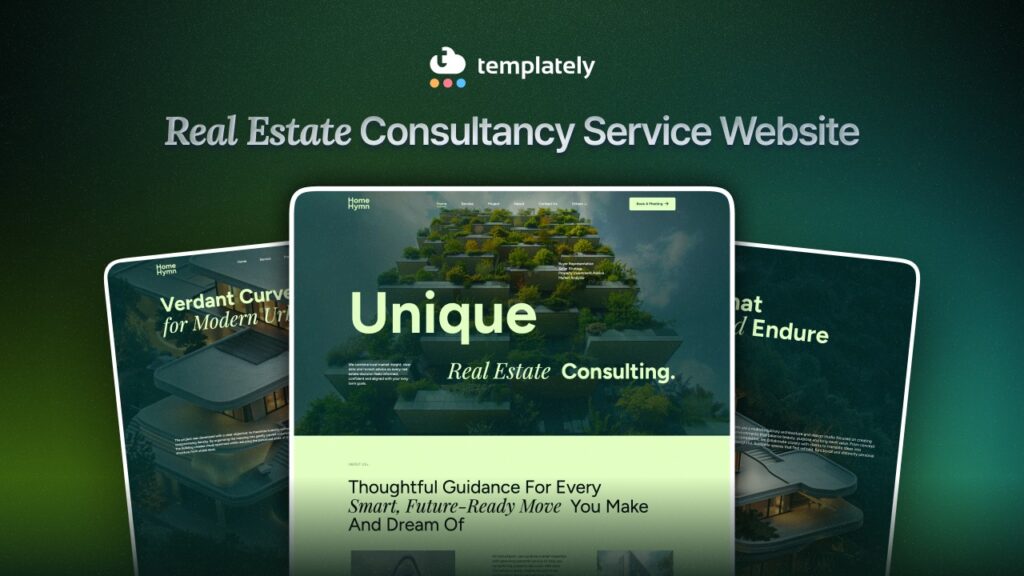
Whether you are an independent real estate consultant, a boutique property agency, or a growing consultancy firm, your website is your most powerful marketing asset. It builds trust, captures leads, and positions you as an authority in your local market. In this guide, you will learn how to launch a complete real estate consultancy website using Templately’s HomeHymn template.
TL;DR
Too long, did not read? Here is a quick overview of the blog post.
| Platform | WordPress can be a beginner-friendly choice for a real estate consultancy website |
| No-Code Tools | Use page builders and ready-made templates to skip coding entirely |
| Template Solution Used | Templately offers pre-built real estate website templates for fast setup |
| Essential Pages | Home, About, Services, Properties, Blog, and Contact pages are must-haves |
| Key Plugins | Use plugins for property listings, contact forms, SEO, and lead capture |
| SEO Setup | Optimize your site from day one using an SEO plugin like Rank Math or Yoast |
| Launch Checklist | Test speed, mobile responsiveness, and contact forms before going live |
Why We Choose WordPress And What You Need Before You Start
Before diving into the how-to portion, it helps to understand why we choose to build in WordPress. WordPress powers over 43.5% of all websites on the internet as of 2026. That popularity is not accidental. For real estate consultants specifically, WordPress offers a combination of flexibility, affordability, and functionality that no other platform can match.
WordPress also supports a range of no-code page builders that let you design stunning pages visually. Platforms like Elementor and block-based editors like Gutenberg allow you to drag and drop elements into place without any technical knowledge. Pairing those with a template library such as Templately, you can have a professional website ready in hours, not weeks.
Getting the right foundation in place saves you significant time and frustration later. This section outlines the tools, accounts, and decisions you need to make before you open a page builder and start designing.
1. Choose a Reliable Hosting Provider
Your hosting provider determines how fast your site loads and how reliably it stays online. For a real estate consultancy, slow load times cost you leads. Studies by Google show that 53% of mobile users abandon a site that takes longer than three seconds to load.
Look for hosting that includes:
- One-click WordPress installation
- Free SSL certificate (essential for security and SEO)
- At least 10 GB of storage
- 99.9% uptime guarantee
- 24/7 customer support
Popular and reliable hosting providers include xCloud, which is particularly beginner-friendly and affordable.
2. Register a Professional Domain Name
Your domain name is your online address. For a real estate consultancy, keep it short, easy to spell, and relevant to your business name or location.
For example, something like “AxisPropertyConsulting.com” or “DallasRealEstateAdvisors.com” communicates professionalism immediately.
Avoid using hyphens or numbers in your domain name, as they make it harder for people to remember. Stick to a .com extension where possible, since it is the most recognized and trusted extension globally.
3. Install WordPress
Most hosting providers offer a one-click WordPress installation from their control panel. Once you complete the signup process, log in to your hosting dashboard, find the WordPress installer, click install, and follow the on-screen steps. The entire process takes under five minutes.
Once WordPress is installed, you will receive login credentials to access your WordPress dashboard, which is the control center for everything you do on your site.
4. Install a Page Builder Plugin
A page builder is a tool that allows you to design your website visually. For WordPress, Gutenberg or Elementor is the recommended page builder. It is widely supported, beginner-friendly, and integrates seamlessly with Templately, which we will be using for this tutorial as well. It is one of the most AI-powered WordPress template libraries, offering 6,500+ ready templates with a versatile design.
Now, let us know what pages you will require most importantly to build a complete real estate website in WordPress.
Must-Have Pages for a Real Estate Consultancy Website
A well-structured website guides visitors on a clear journey from first impression to contact. Each page serves a specific purpose and works together with the others to move a potential client closer to reaching out.
By now, you already know the essentials for creating a real estate consultancy service website. It is time to proceed further with how to create one. Before that, let us know the essential pages that you can include.
Here in this blog, we will be using ‘HomeHymn’ – a real-estate consultancy service website template from Templately that includes all the necessary pages that are required to create a complete website for your real-estate consultancy service. Below are the pages that HomeHymn includes,
- Home Page
- About Us Page
- Services Page
- Projects Page
- Project Details Page
- Blog Page
- Blog Single Page
- Contact Us Page
- Privacy Policy Page
- 404 Page
A real estate consultancy website needs more than just a homepage. This section breaks down the essential pages your site must include to build trust, generate leads, and rank well in search engines.
Homepage
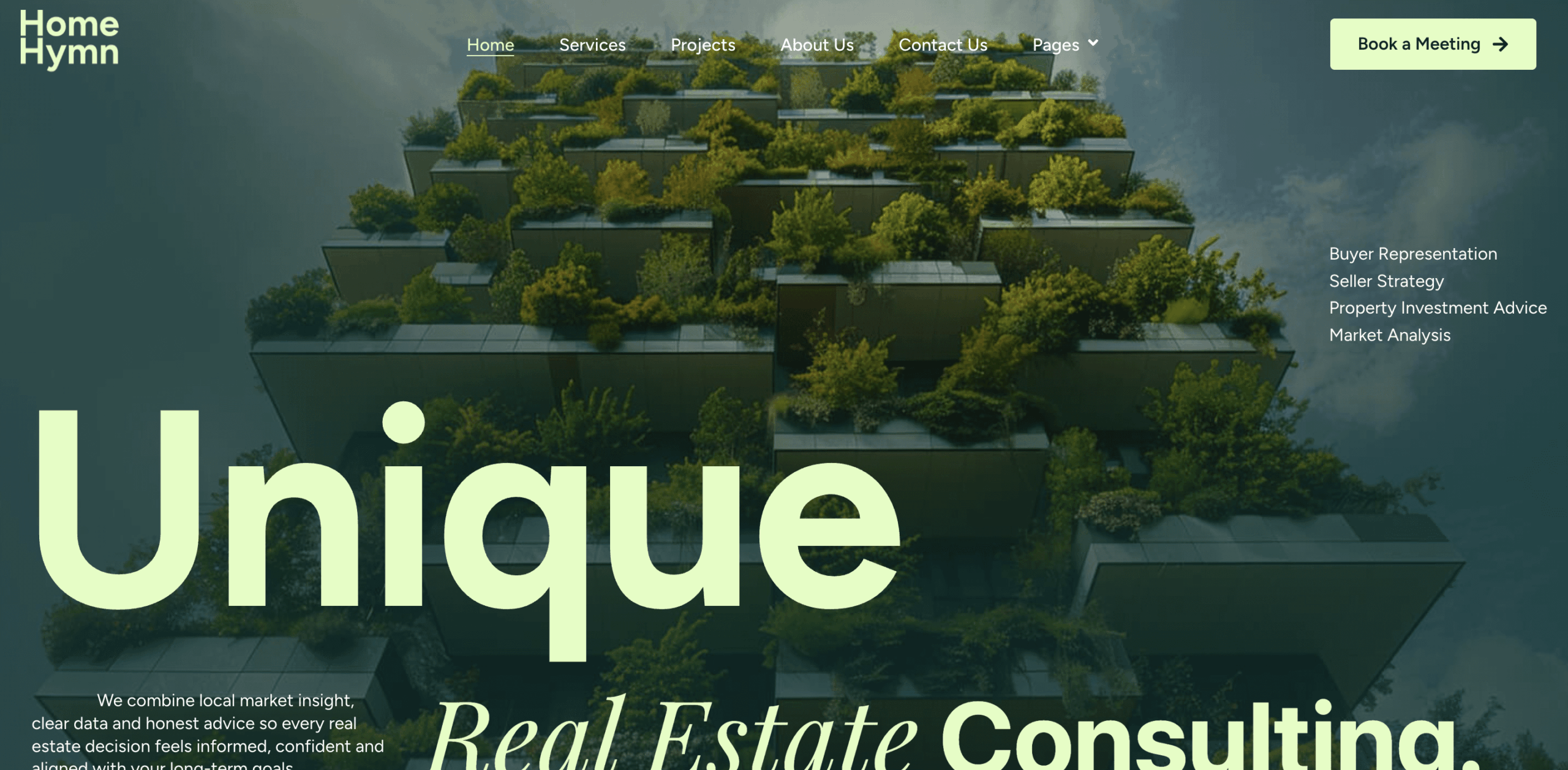
Your homepage is your digital storefront. It needs to communicate three things within seconds of a visitor arriving: who you are, what you do, and why they should choose you.
A strong real estate consultancy homepage includes:
- A bold headline that clearly states your value proposition
- A short subheading that adds context to the headline
- A primary call-to-action button (such as “Book a Free Consultation”)
- A brief overview of your services
- Social proof, such as client testimonials or the number of properties sold
- A featured properties or recent listings section, if applicable
- A lead capture form or phone number in a visible location
About Page
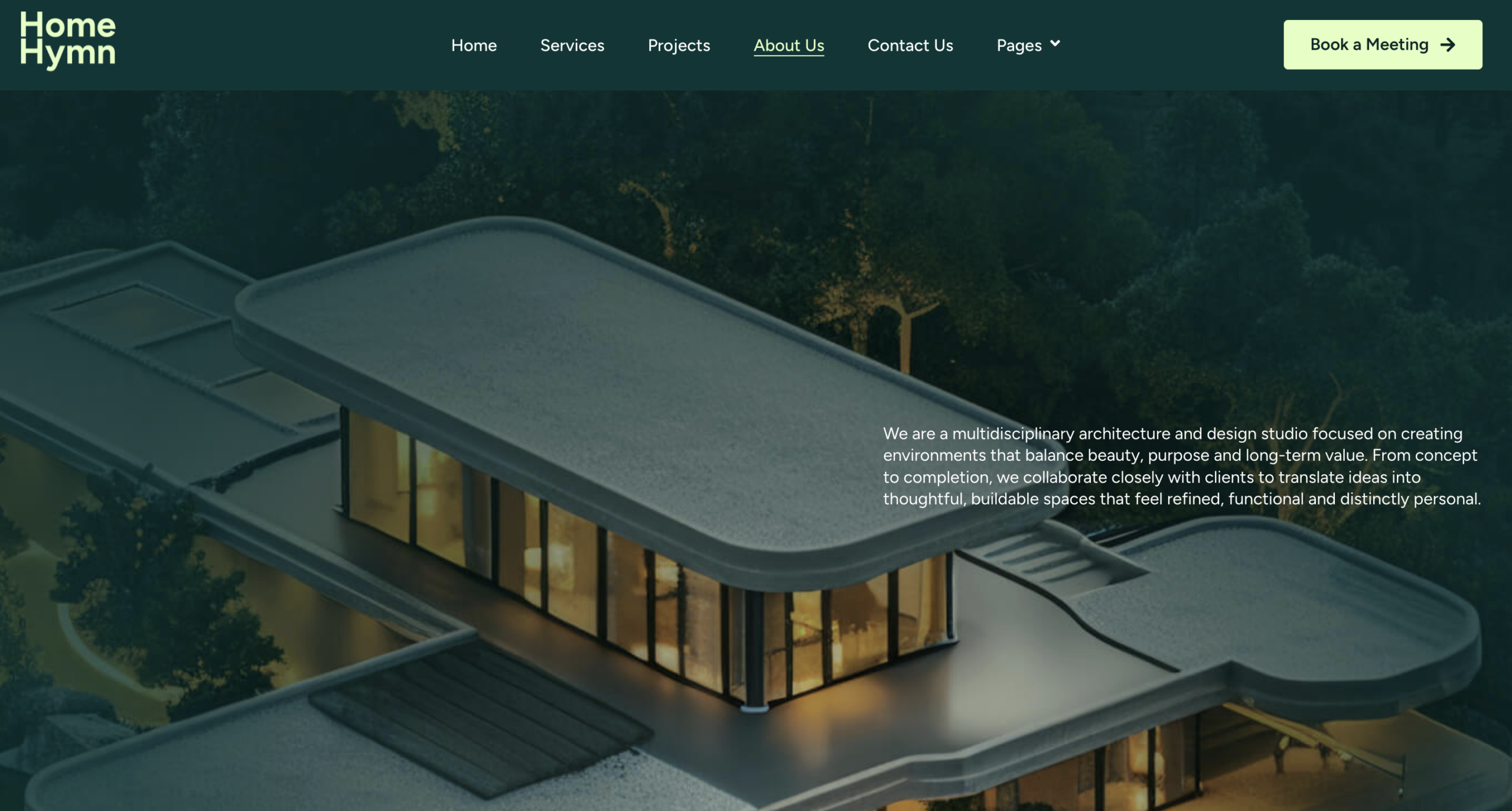
The About page is often the second most-visited page on a consultancy website. Real estate is a relationship-driven industry, and people want to know who they are working with before they commit.
Your About page should tell your story genuinely and engagingly. Include your background, your team’s credentials, the number of years in business, and what sets your consultancy apart. Adding a professional photo of yourself or your team goes a long way in building trust.
Services Page

The Services page is where you convert interest into action. It needs to be clear, specific, and benefit-focused. List each service you offer, such as property buying advisory, selling consultation, investment property analysis, rental management, or commercial real estate consulting.
For each service, write a short description that explains what the client gets and why it matters to them. Avoid vague language. Instead of saying “we offer expert advice,” say “we analyze market data from the past 12 months to help you identify undervalued properties with strong rental yield potential.”
Properties or Portfolio Page
If you represent listings or want to showcase past transactions, a Properties page adds significant credibility. You can use property listing plugins as well to create a searchable property database with filters for price, location, and property type. Even if you do not manage active listings, a portfolio page showing past deals you have closed builds confidence in prospective clients.
Blog Page
A blog is one of the most powerful long-term SEO elements for any website, be it a real estate consultancy service. By publishing helpful, keyword-targeted articles on topics like “how to evaluate a commercial property” or “first-time homebuyer checklist,” you attract potential clients who are actively searching for information.
Search engines reward websites that publish fresh, relevant content consistently. A blog that publishes two to four posts per month can significantly increase your organic traffic over time.
Contact Page
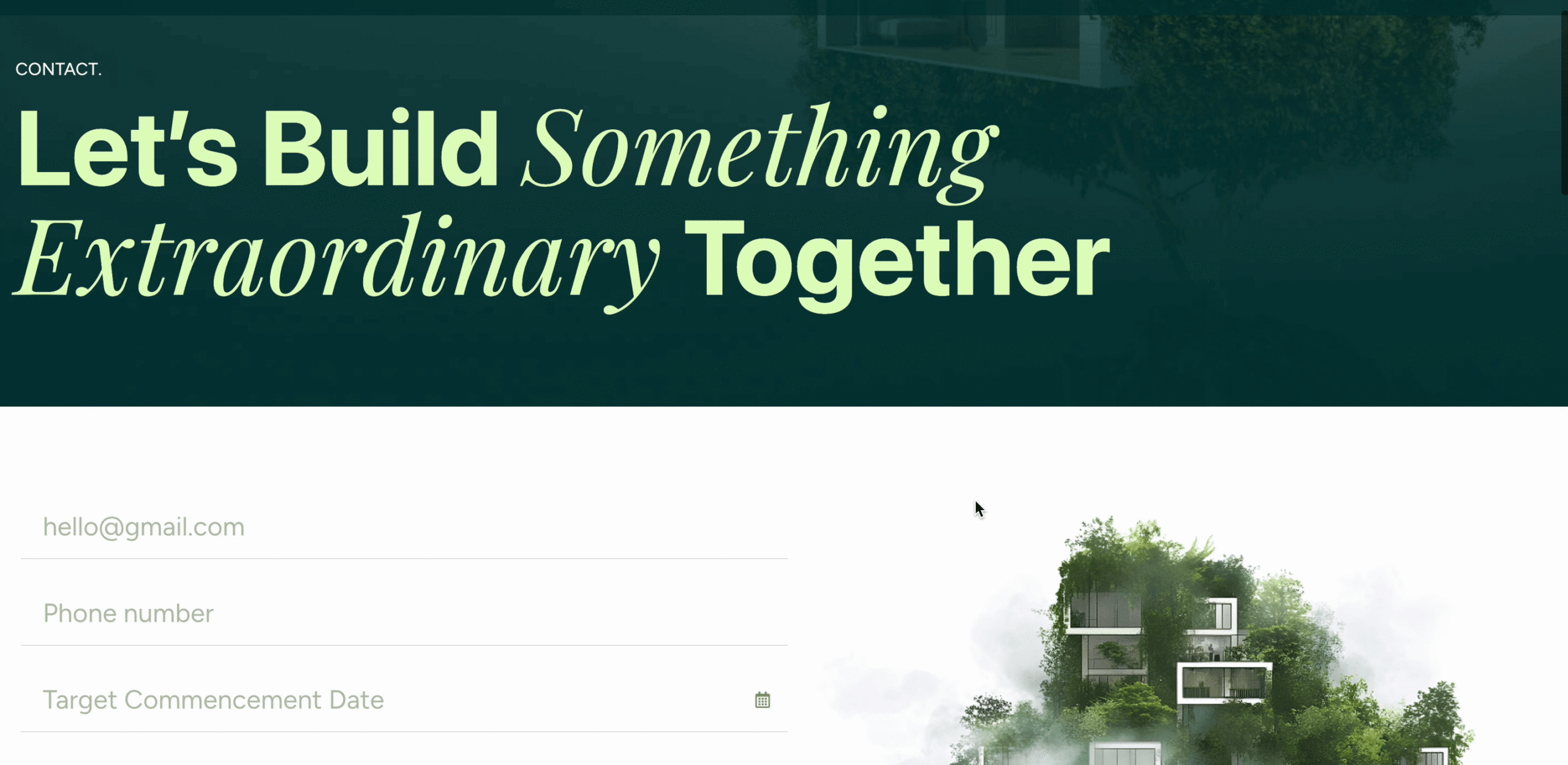
Every page on your site should have a way for visitors to contact you, but your dedicated Contact page needs to make the process as easy as possible. Include a contact form, your phone number, your email address, your office address if applicable, and a Google Maps embed showing your location.
Reduce friction on your contact form. Ask only for the information you truly need: name, email, phone number, and a brief message. Long forms discourage submissions.
So, how to create a real estate consultancy service website in WordPress using Templately? Below is the guide.
How to Create a Real Estate Consultancy Service Website with Templately
Before getting started with the step-by-step process, let us check the dependencies first.
- Templately (PRO): HomeHymn is a premium template. So, you need Templately PRO for it.
- Essential Blocks or Essential Addons (PRO): For Gutenberg, you need Essential Blocks PRO and for Elementor, you need Elementor PRO and Essential Addons PRO.
After you have installed and activated the above-mentioned plugins, follow these steps:
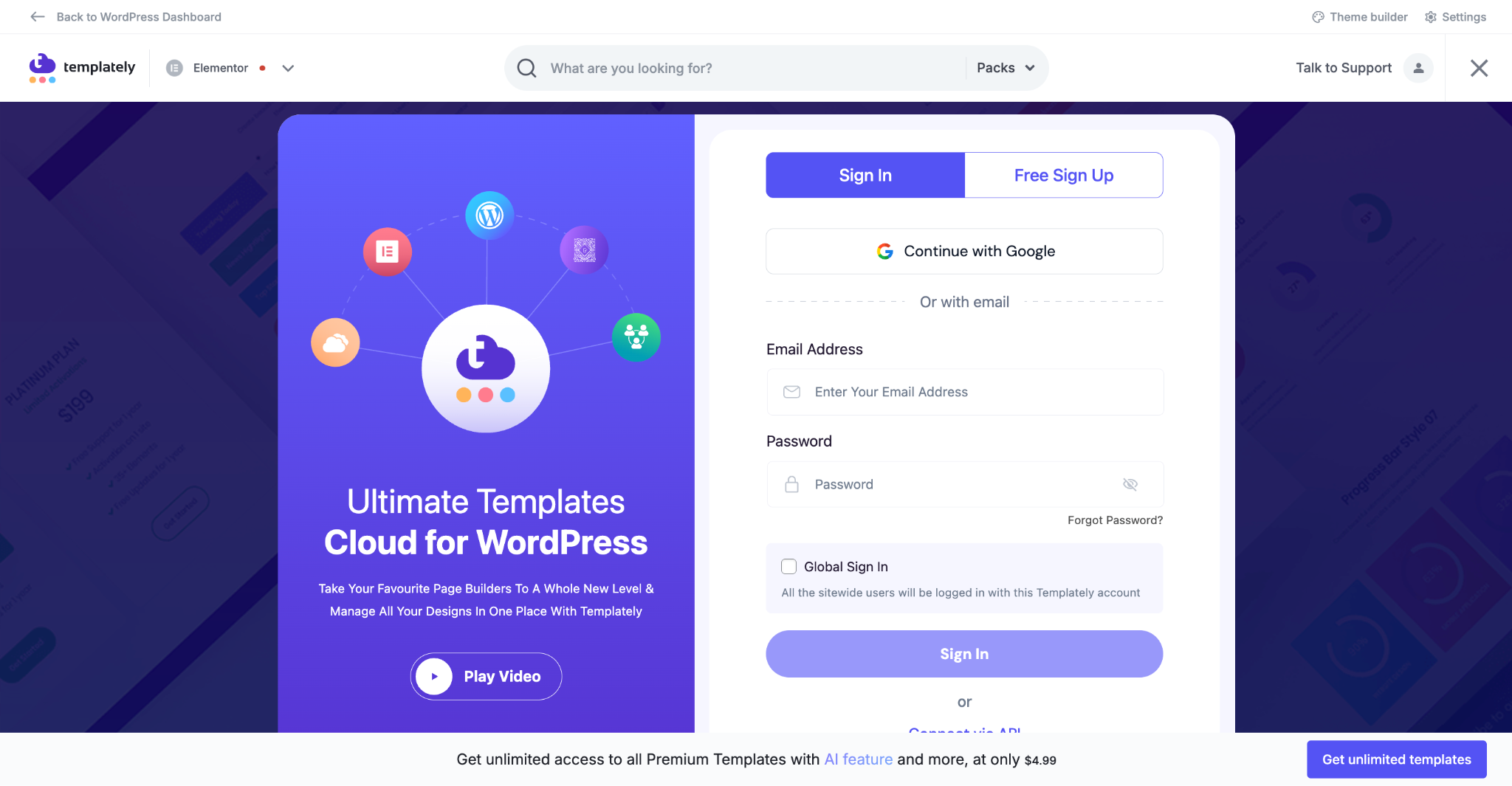
Step 1: Sign In to Templately
The first step is simple: sign in to your WordPress dashboard and access Templately. You can either sign in with your email address and password or connect your account via API key.
Step 2: Select HomeHymn Template
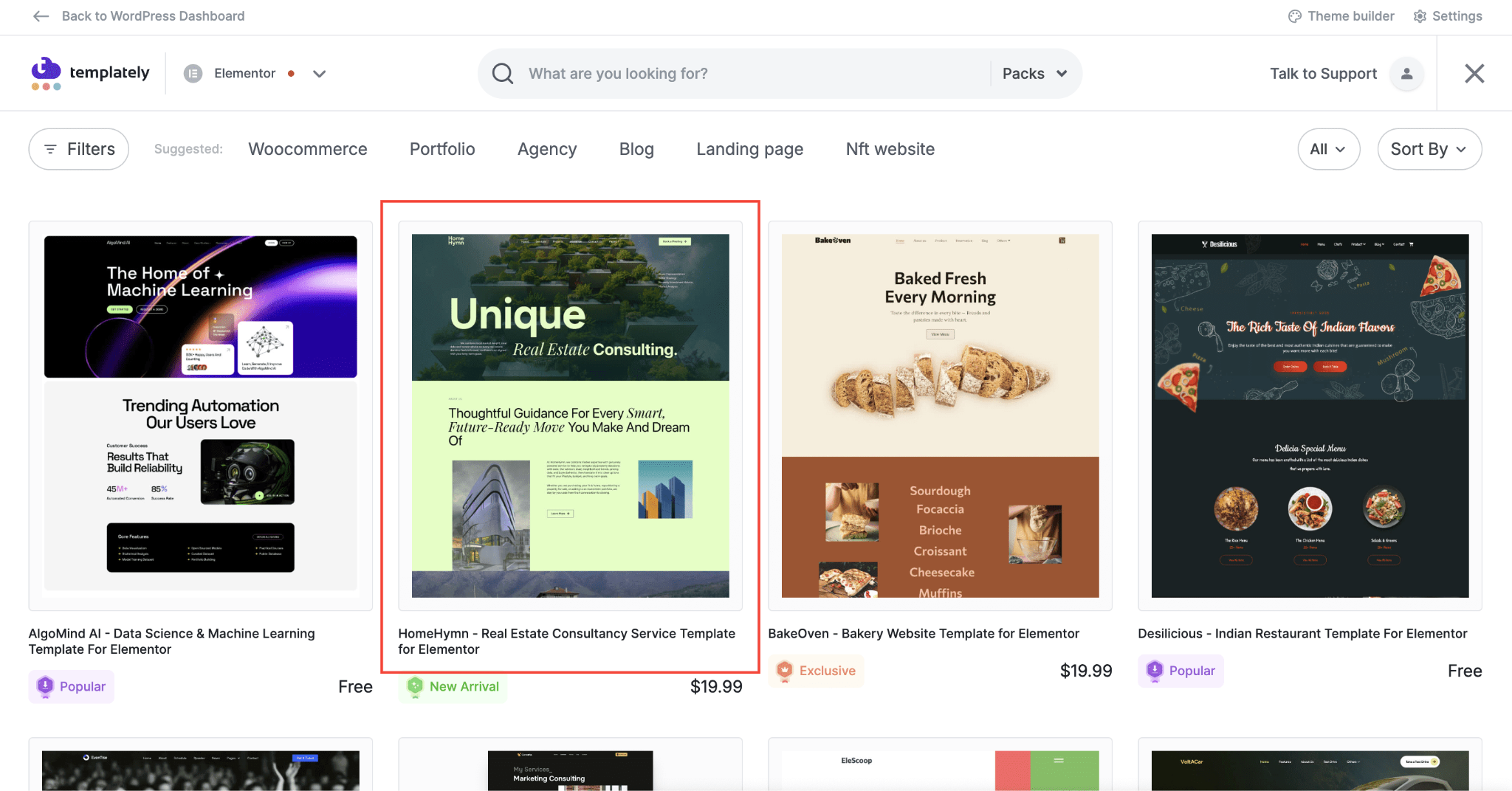
Once inside Templately, choose HomeHymn based on your editor preference. If your workflow is based on Elementor, use the Elementor version. If you prefer native block editing, choose the Gutenberg version. That flexibility is useful because not every site owner uses the same builder, but both paths still point toward the same brand-ready design direction.
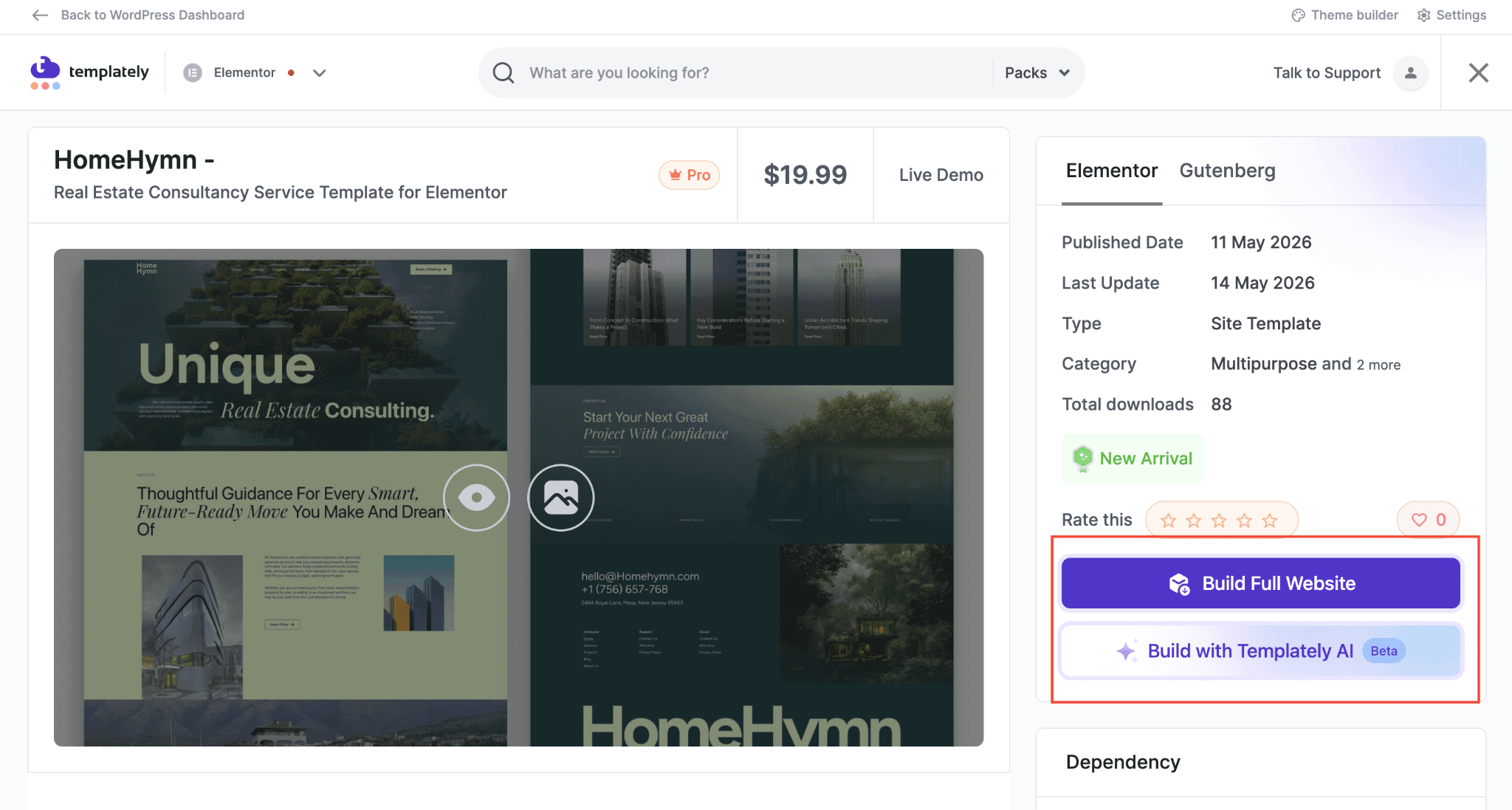
After selecting the preferred template, you will find two options:
- Build Full Website
- Build With Templatelty AI
🖱️ Build a Full Website in One Click with Full Site Import
The first option is ‘Build Full Website’, where, using the ‘Full Site Import’ feature, with just one click, you can insert and use the full website template.
✨ Build with Templately AI to Replace Content And Images
Another is ‘Build with Templately AI’. Using this, with the power of Templately AI, you can generate the entire website’s template content along with images based on your business niche.
After choosing the template, simply click on the ‘Build with Templately AI’ button, and the next step is to personalize it using AI-assisted website building.
Instead of rewriting every block from scratch, you can use AI to generate real-estate service-focused headlines, descriptions, calls to action and brand-friendly section copy. It is a practical way to transform a general, ready-made real-estate consultancy service website template into something that feels custom-made for your business.
📖 Learn more about how to use Templately AI to Generate Content and replace Images.
In this blog, we will see how to build a full website in one click using the ‘Full Site Import’ feature. For that, click on the ‘Build Full Website’ button.
Step 3: Customize And Style the Template
In the next step, you can add your preferred site title, tagline and upload your business logo. You can generate the logo with AI as well. After you are done setting up your basic requirements, click on the ‘Style Website’ button. You can change the color based on your brand guidelines.
After completing the styling, click on ‘Confirm Setup’. Then check the requirements of the template and click on the ‘Install and Proceed’ button. Within a few minutes, the full website templates will be imported. Now, you can customize the content, sections, and pages however you like.
Let’s have a look at how your website is going to appear once you make it live!
Additional WordPress Plugins for a Functional Real Estate Consultancy Website
Plugins extend what your WordPress website can do. This section highlights the most important plugins for a real estate consultancy site, organized by function so you can install exactly what you need.
You do not need dozens of plugins. In fact, installing too many plugins can slow down your site and create compatibility issues. Focus on quality over quantity and choose plugins that are well-rated and actively maintained.
Contact Form Plugin
Every real estate consultancy website needs a reliable contact form plugin. WPForms is the most beginner-friendly option. It lets you create multi-step forms, lead capture forms, and inquiry forms using a simple drag-and-drop builder. The free version covers basic needs, while the paid version adds conditional logic and payment integrations.
Contact Form 7 is a free alternative that works well but requires more manual configuration.
SEO Plugin
Search engine optimization is not optional if you want your website to appear in Google search results. Install an SEO plugin such as Rank Math to optimize your content for search engines. These plugins help you optimize page titles, meta descriptions, image alt text, and internal linking. They also provide real-time feedback on each post or page you publish. Rank Math is generally considered more feature-rich in its free version, making it an excellent starting point.
Caching And Speed Plugin
A slow website loses visitors. Install WP Rocket (premium) or W3 Total Cache (free) to enable browser caching, file compression, and lazy loading for images. These optimizations can dramatically reduce your page load time.
Pair your caching plugin with a content delivery network (CDN) like Cloudflare, which distributes your site’s files across global servers so pages load faster for visitors regardless of their location.
Security Plugin
Protecting your real estate consultancy website from malware and hacking attempts is essential. Wordfence Security is the most widely used WordPress security plugin. It includes a firewall, malware scanner, and login protection features. The free version provides solid baseline protection for most websites.
Property Listing Plugin
If you want to display property listings on your site, you need a dedicated real estate plugin. Popular options include Essential Real Estate, Easy Property Listings, etc.
SEO Basics for Your Real Estate Consultancy Website
Ranking in search engines brings free, consistent traffic to your website. This section covers the foundational SEO steps every real estate consultancy website should complete from the very beginning.
Getting SEO right from the start saves you from having to redo work later. These are the core actions that have the highest impact.
Target Local Keywords
Most real estate consultants serve a specific geographic area. Your SEO strategy should reflect that. Instead of trying to rank for broad terms like “real estate consultant,” which are dominated by national brands and directories, focus on local variations like “real estate consultant in Austin” or “property investment advisor in Toronto.”
Use free tools like Google Keyword Planner or Ubersuggest to research which local keywords people in your area are actually searching for. Then, naturally, incorporate those keywords into your page titles, headings, service descriptions, and blog posts.
Optimize Your Google Business Profile
Your Google Business Profile (formerly Google My Business) is a free listing that appears in local search results and Google Maps. It is one of the most effective local SEO tools available. Fill out every field completely, including your business category, service area, business hours, and a description of your consultancy.
Actively request reviews from satisfied clients. Positive Google reviews improve your local search rankings and build immediate trust with new visitors.
Use SEO-Friendly Page Titles And Meta Descriptions
Every page on your website has a title tag and a meta description that appear in search engine results. These elements directly influence whether someone clicks on your listing or scrolls past it.
Write page titles that include your primary keyword and your location. For example, “Real Estate Consultancy Services in Chicago | YourFirm Name” is far more effective than “Home” or “Services.”
Write meta descriptions that summarize the page content in a compelling way and include a soft call to action. Keep titles under 60 characters and meta descriptions under 155 characters.
Build Internal Links
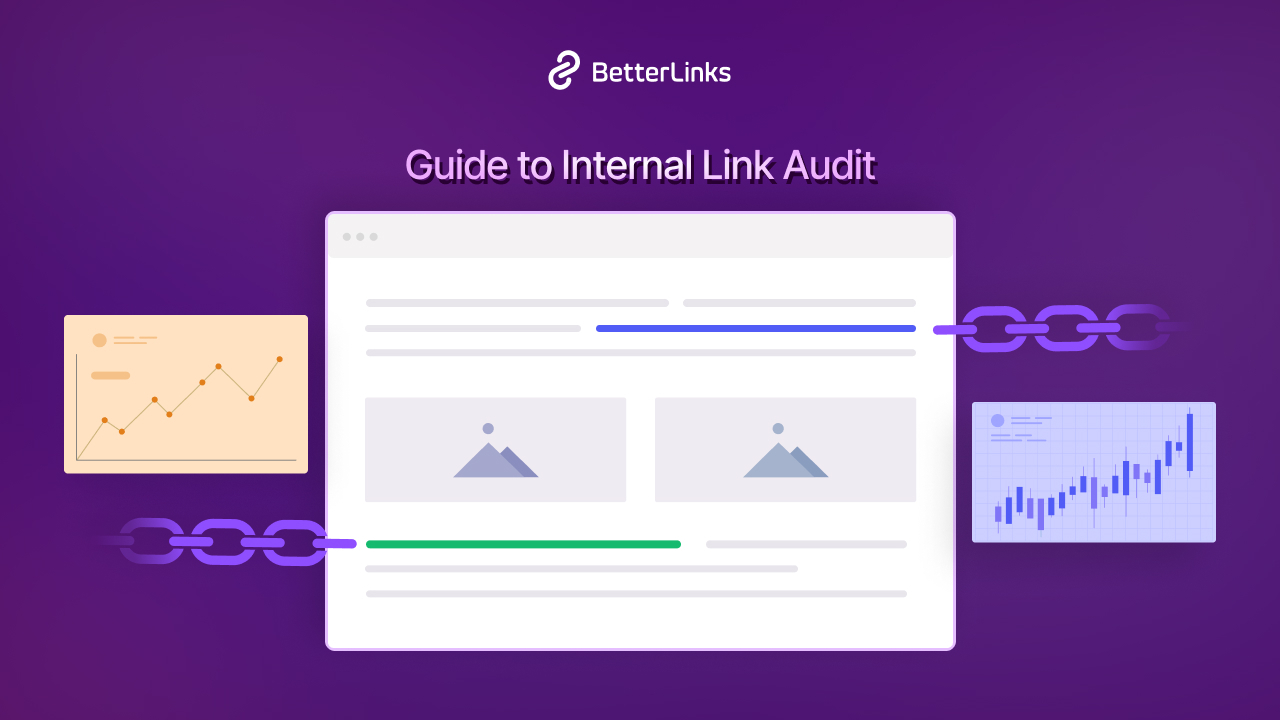
Internal linking means connecting pages on your website to each other. When your About page links to your Services page, and your blog posts link back to relevant service pages, you help search engines understand the structure and hierarchy of your site.
Internal links also keep visitors on your site longer by guiding them to related content they may find useful.
Optimize Images
Images are often the largest files on a webpage and can significantly slow down load times if not optimized. Before uploading any image to WordPress, compress it using a tool like TinyPNG or ShortPixel. Use descriptive file names like “dallas-real-estate-consultant.jpg” instead of “IMG_0034.jpg.”
Always add alt text to every image. Alt text describes the image to search engines and screen readers. Including your target keyword in relevant alt text can give your SEO a small but meaningful boost.
Pre-Launch Checklist for Your Real Estate Consultancy Website
Before you publish your website to the world, run through this checklist to make sure everything is working correctly. This section helps you catch common issues that could hurt your first impression or your search rankings.
Skipping a pre-launch review is a common mistake that leads to embarrassing errors like broken forms, missing pages, or slow load times. Take 30 minutes to test thoroughly before going live.
Content and Pages
- All primary pages are published (Home, About, Services, Contact)
- All text is proofread and free of spelling or grammar errors
- No placeholder text (like “Lorem Ipsum”) remains on any page
- All images are high quality and properly compressed
- All links on the site work and lead to the correct destination
Technical Performance
- Your site loads in under three seconds (test using Google PageSpeed Insights)
- Your website is mobile-responsive and looks correct on smartphones and tablets
- SSL certificate is active (URL shows HTTPS, not HTTP)
- The caching plugin is configured and active
SEO Basics
- Each page has a unique title tag and meta description
- Your SEO plugin is installed and configured
- Google Analytics or another analytics tool is connected
- Your site has been submitted to Google Search Console
Contact and Lead Generation
- All contact forms are tested and submissions arrive in your email inbox
- Your phone number and email address are visible on every page
- A clear call-to-action exists on the homepage and services page
Build a High-Converting Real Estate Consultancy Service without Any Code
Creating a real estate consultancy service website in WordPress without coding is entirely achievable, even if you have never built a website before. With the right hosting provider, a reliable page builder, and a professional template library like Templately, you can go from zero to a polished, lead-generating website in a matter of hours.
The key is to start with a strong foundation: choose quality hosting, install the right plugins, create the essential pages, and optimize for local SEO from day one. Your website is not just a digital business card. It is a 24-hour salesperson that works for your consultancy while you sleep.
Take it one step at a time. Launch with the core pages, get your contact forms working, and then add features like a blog and property listings as you grow. The most important step is the first one.
If you are ready to build your real estate consultancy website today, start by exploring Templately’s real estate templates and see how quickly a professional site comes together. Was this blog helpful? If so, then do not forget to subscribe to our blog and join our Facebook community for more updates and fresh templates.
Frequently Asked Questions
Do I need any coding knowledge to create a real estate consultancy website in WordPress?
No, you do not need any coding knowledge. WordPress, combined with a visual page builder like Elementor and a template library like Templately, allows you to design and launch a fully functional real estate website using drag-and-drop tools. Everything from layout design to contact form setup can be done visually without writing a single line of code.
How much does it cost to build a real estate consultancy website in WordPress?
The cost varies depending on the tools and hosting plan you choose. A basic setup typically includes shared hosting ($5 to $15 per month), a domain name ($10 to $15 per year), and free plugins for contact forms and SEO. If you choose premium themes, plugins like WP Rocket, or a Templately paid plan, the monthly cost can vary. However, compared to hiring a web developer, this is a fraction of the investment.
Which WordPress plugins are most important for a real estate consultancy website?
The most important plugins for a real estate consultancy website are a property listing plugin (such as Essential Real Estate), a contact form plugin (such as WPForms), an SEO plugin (such as Rank Math or Yoast SEO), a caching plugin for speed optimization, and a security plugin like Wordfence. These five categories cover the essential functionality your site needs to perform well and generate leads.
How long does it take to build a real estate consultancy website in WordPress using templates?
Using a pre-built template from a library like Templately, you can have your core website pages designed and ready within a few hours. Customizing the content, adding your branding, writing your service descriptions, and setting up plugins will typically take one to three days of part-time effort. Without templates, the same work could take weeks.
How can I get my real estate consultancy website to rank on Google?
Ranking on Google starts with targeting the right local keywords, creating high-quality content, and optimizing each page’s title tag and meta description. Set up your Google Business Profile to appear in local map searches. Install an SEO plugin to guide your on-page optimization. Publish regular blog content that answers questions your target clients are searching for. Over time, these consistent efforts compound into meaningful organic traffic.
Can I add property listings to my WordPress real estate consultancy website without a developer?
Yes, you can absolutely add property listings without a developer. Plugins like Essential Real Estate and WP Property allow you to create detailed property listing pages with photos, pricing, amenities, and location maps using a simple admin interface. Visitors can filter and search listings by price, location, and property type. These plugins are designed for non-technical users and integrate cleanly with most WordPress themes.
Can I create a real estate consultancy website using Elementor instead of Gutenberg?
Yes. ‘HomeHymn’ is available for both Gutenberg and Elementor, allowing users to choose the editor that best fits their workflow.